

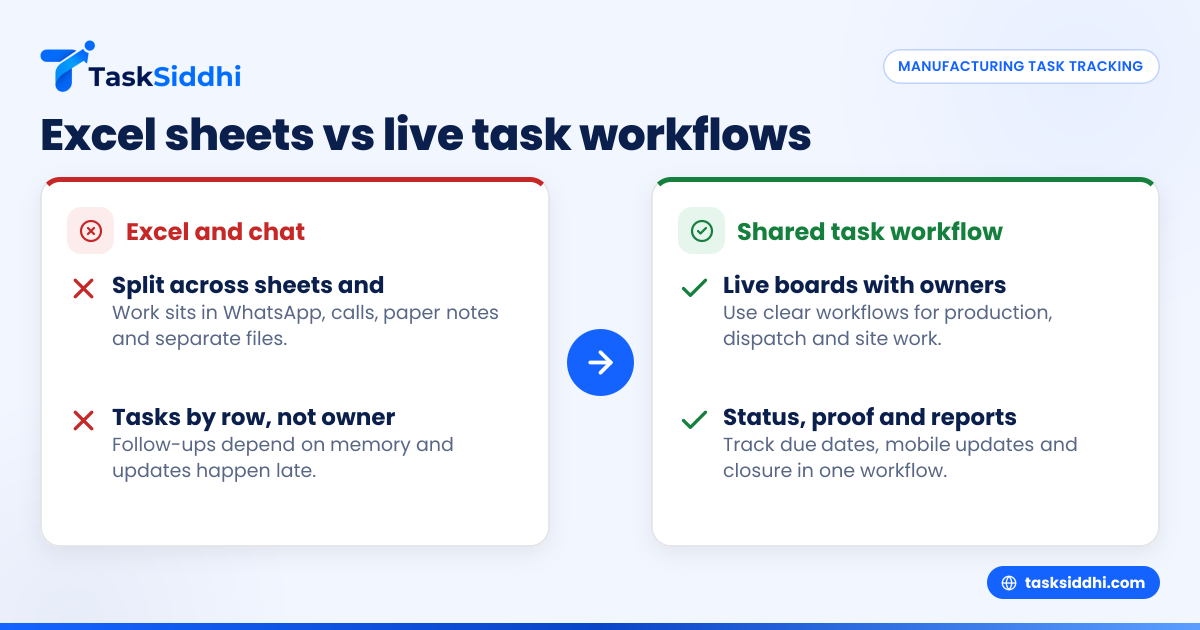
If you run a manufacturing business in Maharashtra or Central India, Excel usually stops working once production follow-ups, dispatch coordination, vendor chasing and site jobs start moving across WhatsApp, calls and paper notes. A team task tracker Excel alternative for manufacturers in Maharashtra gives you one place to assign work, track status, capture proof from the shop floor or site, and see delays before they hit dispatch or billing.
Key takeaways
- Excel is useful for static records, but weak for daily team follow-ups across production, stores, dispatch and service teams.
- Manufacturers in Maharashtra often lose time because tasks are split across WhatsApp groups, sheets, phone calls and handwritten registers.
- A better system uses boards, owners, due dates, status updates, mobile proof and reports in one workflow.
- For factory and field teams, the right setup should handle production follow-ups, dispatch tasks and site jobs together.
- Start with one live workflow, such as dispatch or machine installation, before moving all team coordination.
- The goal is not “more software”. It is fewer missed tasks, clearer accountability and faster customer response.
Why Excel starts failing for manufacturers in Maharashtra and Central India
Most manufacturers begin with Excel because it is familiar. One sheet tracks production planning. Another tracks dispatch. A third sheet holds pending service calls. Someone updates the file at day end. Someone else maintains a separate version.
This works when the team is very small. It breaks when 5 to 30 people are involved in daily execution.
A manufacturer in Pune may have one production supervisor, one stores person, two dispatch coordinators, one service engineer and one owner checking everything on WhatsApp. A unit in Nagpur may run local dispatches, dealer orders and machine installation visits together. A factory in Nashik may handle urgent rework, transporter follow-ups and customer complaints in parallel.
In all these cases, Excel creates the same problems:
- Nobody knows the latest version.
- Updates happen late.
- Tasks are tracked by row, not by owner.
- There is no easy proof of work done.
- Follow-ups depend on memory.
- Site teams do not update the sheet in real time.
- Dispatch and service jobs get mixed with planning data.
For manufacturers, this is more serious than simple “task confusion”. One missed production follow-up can delay dispatch. One missed dispatch task can hold invoicing. One missed site visit update can trigger customer escalations.
That is why many owners start searching for a team task tracker Excel alternative for manufacturers in Maharashtra.
What should a manufacturer use instead of Excel for team task tracking?
Use a shared task board built for live work, not static records. It should assign each task to an owner, show due dates and status clearly, allow mobile updates, and separate production, dispatch and site work into clear workflows.
For a manufacturer, the issue is not only storing data. The issue is making sure work moves every day.
What Excel misses in manufacturing operations
Excel is good for analysis and records. It is not strong for active execution. Manufacturing teams need moving visibility.
Here is what usually goes wrong on sheets:
- Production follow-ups become comments, not tasks A supervisor writes “check material shortage” or “confirm welding completion” in a remarks column. Nobody owns it clearly.
- Dispatch work is split across people Packing, invoice readiness, transporter booking and LR confirmation sit in separate calls and messages.
- Site jobs stay outside the sheet Installation teams, maintenance engineers or service staff update on WhatsApp after the visit, often without proper proof.
- Escalations come late Owners learn about delays only when a customer asks why the material has not reached or the machine is not running.
- Reports need manual effort The admin or manager spends time cleaning data instead of managing actual work.
The real cost of sheet confusion in a factory setup
Manufacturers often think the problem is “team discipline”. In many cases, the bigger problem is the tool.
A simple example:
- A dispatch sheet says material is ready.
- Stores has not completed packing.
- QC has not signed off one batch.
- The transporter was not confirmed.
- The customer expects delivery in Aurangabad next morning.
On paper, the order looks “in process”. In reality, three actions are pending. If each action is not assigned, dated and updated, the dispatch slips.
Now add service jobs. A machine installation in Mumbai needs one engineer, one spare kit and one customer sign-off. If all three are tracked in calls and chat, you cannot predict whether the job will close on time.
That is where a live board with boards and views becomes more practical than rows in a spreadsheet.
How do manufacturers in Maharashtra track production follow-ups without Excel?
They create one shared workflow for every repeated activity: production, dispatch and site work. Each task gets an owner, due date, status and next action. Teams update from mobile or desktop, so managers see what is pending without calling everyone.
Start with your most painful workflow
Do not move everything in one day. Pick the process that causes the most daily follow-up.
For many manufacturers in Maharashtra, this is one of these:
- Production follow-up for open customer orders
- Dispatch readiness and transporter coordination
- Site installation or service closure
- Complaint resolution with field visits
- Purchase and inward follow-ups for urgent materials
If you start with one live workflow, adoption is easier.
Example: production follow-up board for a manufacturer in Maharashtra
A simple setup can use columns like:
- New order
- Material check pending
- Production in progress
- QC pending
- Ready for dispatch
- Dispatch scheduled
- Closed
Each task card can include:
- Customer name
- Item or machine name
- Order quantity
- Target date
- Production owner
- Dispatch owner
- Notes on blockers
- Attachment or proof if needed
Now each order or production batch becomes a moving task, not just a spreadsheet row.
Example: dispatch workflow for Central India operations
If you dispatch to cities across Maharashtra and Central India, a separate board often works better than mixing dispatch into production planning.
Typical stages:
- Material ready
- Packing pending
- Invoice/documents pending
- Transporter assigned
- Loaded
- Out for delivery
- POD or delivery confirmation pending
- Closed
This is far easier to review than scrolling through filtered Excel tabs.
For teams working from warehouse, office and factory floor together, the mobile app matters because updates can happen during loading, not later.
How can you manage site jobs and service work from one system?
Use the same tracker for field jobs, but with a separate workflow. Site visits need job details, engineer assignment, travel status, proof from site and closure notes. That gives your factory team and office team one shared view of open work.
Why manufacturers need site jobs inside the same task system
Many manufacturers in Maharashtra do not only make products. They also install, commission, inspect or service them.
Common examples:
- Industrial equipment installation in Pune or Nashik
- AMC service visits for customers in Nagpur
- Complaint checks at dealer locations
- On-site welding, fitting or repair jobs
- Machine breakdown support for client plants
If site jobs are tracked separately from office tasks, the owner loses full visibility.
A better approach is to keep site work in its own workflow but in the same system. That way:
- Office staff can schedule work
- Field staff can update job status
- Managers can see delays
- Billing teams can check closure before invoicing
- Customer communication improves
For manufacturers doing after-sales work, field visits and service jobs are useful ways to structure this.
What information should a site job card include?
A useful site job card should capture:
- Customer and site location
- Machine or product details
- Complaint or work scope
- Assigned engineer or technician
- Visit date and time
- Parts or tools required
- Photos or proof of visit
- Work done notes
- Customer confirmation if your process needs it
- Pending follow-up
This replaces paper job cards that get submitted late or go missing.
Why do WhatsApp groups and Excel sheets create so many follow-up gaps?
Because neither tool is designed to own execution. WhatsApp is good for fast communication, and Excel is good for records, but manufacturers need clear task ownership, status movement and accountability across production, dispatch and field work.
WhatsApp is not a task tracker
Indian manufacturing teams depend heavily on WhatsApp. It is fast, flexible and already in use. But it has limits:
- Messages get buried
- Work gets discussed in many groups
- Nobody knows the final update
- New staff cannot see old context easily
- Managers repeat the same follow-up every day
A message saying “dispatch today” is not a tracked task. A photo from site is not a closed job unless it is attached to the right work item.
That is the difference between chat and a task system.
Excel does not help with real-time ownership
When the owner asks, “What is pending today?”, the team should not open five files and two chats.
A practical team tracker should answer:
- What is late?
- Who owns it?
- What is blocked?
- Which dispatches are at risk?
- Which service jobs are open?
- What got completed today?
This is where reporting is more useful than manually preparing status summaries every evening.
Build your task tracker around manufacturing realities in Maharashtra
Manufacturing operations in Maharashtra and Central India are not only office-based. Your team may be spread across:
- Factory floor
- Stores
- Dispatch area
- Vendor locations
- Customer sites
- Dealer points
- Tier-2 and tier-3 city routes
That means your tracker must match real work conditions.
Use workflows that match departments
Do not put every task into one long list. Separate by work type.
You can create different boards for:
- Production follow-up
- Maintenance tasks
- Dispatch management
- Customer complaints
- Installation and service jobs
- Internal admin follow-ups
This improves review speed. It also reduces noise for each team.
Add simple rules for task creation
To stop confusion, define basic rules:
- Every task must have one owner.
- Every task must have a due date.
- Every task must have one current status.
- Every completed task must include a closure note if needed.
- Site jobs should include proof or visit update.
These rules matter more than complicated software setup.
Use automation carefully
If your process is repetitive, automation can reduce manual follow-up. For example, when a task moves to “QC pending”, the responsible person can be notified automatically. When a site job is assigned, the engineer gets it immediately.
The goal is not fancy setup. The goal is fewer missed handoffs.
Where does “ai team task” fit for manufacturers?
An ai team task approach is useful only if it reduces manual chasing. For manufacturers, that means faster summaries, better visibility of pending work and cleaner follow-ups, not extra complexity.
Manufacturers are hearing more about AI, but daily operations still depend on clear execution. If an owner in Maharashtra asks for an update, they want to know:
- Which dispatches are blocked
- Which production orders are delayed
- Which engineers have open site jobs
- Which customer complaints are unresolved
Any ai team task workflow should help managers see this faster. It should not turn a simple process into something hard to use.
That is why basics still matter most:
- one owner
- one due date
- one status
- one place for proof and notes
If those are missing, no AI layer will fix the process.
How to move from Excel to a team task tracker without disrupting the factory
Start small, clean your task types, and shift one active process first. Do not migrate every old sheet. Move only live work that needs daily tracking, then train the team on a simple update routine.
A practical 7-step rollout for manufacturers in Central India
1. List recurring task categories
Write down the work that repeats every week:
- open production follow-ups
- dispatch readiness
- service calls
- installation jobs
- complaint closures
This helps you avoid building a random system.
2. Choose one workflow to pilot
Pick the workflow with the highest delay cost. For many manufacturers, dispatch is the best start because everyone feels the pain quickly.
3. Define statuses clearly
Avoid vague statuses like “under process”. Use statuses that reflect actual work movement.
Example:
- Assigned
- In progress
- Waiting for material
- QC pending
- Ready
- Closed
4. Assign role-based ownership
Do not assign tasks to departments only. Assign them to people.
Wrong: “Stores”
Better: “Rakesh - stores”
5. Add only essential fields
Do not over-design. Begin with:
- customer
- order/job reference
- owner
- due date
- status
- notes
- attachment if required
6. Train the team on update timing
Set one rule: update before shift close, dispatch close or site visit end. A tracker fails when updates are optional.
7. Review daily for 10 minutes
Use the board in morning review. Check overdue items. Remove blockers. This habit matters more than the tool itself.
For teams replacing ad hoc sheets, features should support this shift without adding too much admin work.
What should a good Excel alternative include for a manufacturer?
It should handle daily task movement, team ownership, mobile updates, reporting and field proof in one place. For manufacturers in Maharashtra, it should be simple enough for office staff and practical enough for dispatch and service teams to use daily.
Must-have features for manufacturing teams
Look for these basics:
- Task boards by workflow
- Assigned owner for every task
- Due dates and overdue visibility
- Mobile updates for field or floor teams
- Attachments, photos or notes
- Time-linked work logs where useful
- Status reports for managers
If your service or installation team needs to log effort, time tracking can help compare planned versus actual time.
Nice-to-have, but not essential on day one
These can come later:
- custom reports by team
- deeper automations
- advanced views for managers
- more detailed site job forms
Start with adoption, not perfection.
Common mistakes manufacturers make when replacing Excel
Trying to digitise every old process at once
This slows rollout. Move live tasks first. Historical sheets can stay as records for some time.
Creating too many statuses
If the team cannot remember status names, they will stop updating properly.
Letting updates remain optional
A task system works only when it becomes part of daily routine.
Using one board for everything
Production and site jobs are different. Separate workflows improve clarity.
Ignoring data handling basics
If your team captures customer names, employee phone numbers or site details, handle personal data carefully and sensibly. Keep access limited to people who need it, and review your business practices in light of the DPDP Act 2023 where relevant to your operations.