

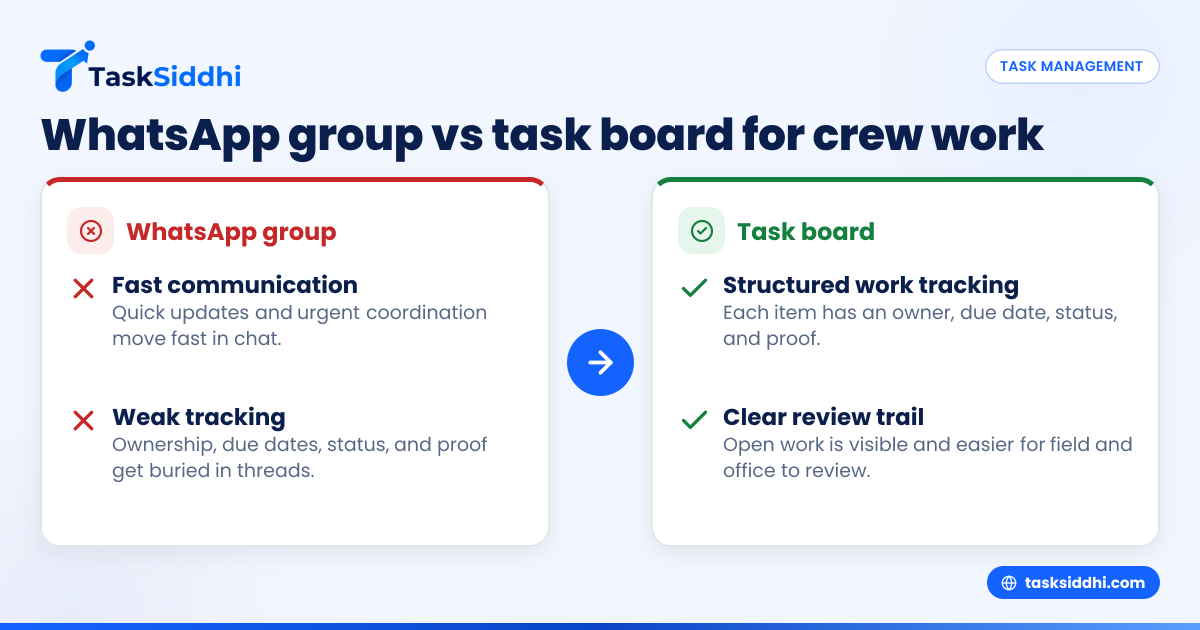
If your construction service crew runs daily work through a WhatsApp group, you can move faster at first but lose control as jobs pile up. A task board gives each punch item, callback, and site follow-up an owner, due date, status, and proof, so fewer details fall through the cracks.
For U.S. construction service businesses, the right choice is usually not “chat or no chat.” It is using chat for quick updates and a task board as the system of record for field work, service calls, and closeout items.
Key takeaways
- WhatsApp groups are fast for communication, but weak for tracking ownership, due dates, and job status.
- A task board helps reduce missed punch items because every task is visible, assigned, and easy to review.
- Callbacks often happen when field notes, photos, and customer requests stay buried in chat threads.
- Site follow-ups improve when crews use one shared workflow for open items, proof of completion, and reporting.
- Small U.S. construction service teams can switch without a big software rollout by starting with one crew or one service line.
- The best setup is simple: use chat for urgent talk, and use a board for work that must be completed, checked, and billed.
Why do construction crews outgrow WhatsApp groups?
WhatsApp groups work when the team is small, the work is simple, and everyone remembers what was said. They break down when you have multiple jobs, punch lists, service calls, and several crew members moving between sites.
A group chat is built for conversation. It is not built for tracking. Messages get buried. Photos are hard to find later. A superintendent asks for a fix, the foreman replies with a thumbs-up, and three days later nobody is sure whether the item is done.
That is the core problem in the “whatsapp group vs task board for construction crews” decision. One tool is for talk. The other is for execution.
In a U.S. construction service business, this shows up in common ways:
- A punch item from a Chicago retail fit-out gets posted in chat with a photo.
- A tech says he will handle it on Friday.
- Friday turns into a weather delay and another emergency call.
- The customer calls Monday asking why the issue is still open.
- The office now has to search through dozens of messages to piece together what happened.
That is not a people problem first. It is a system problem.
What actually gets missed in a WhatsApp group?
Punch items, callbacks, and follow-ups get missed because group chat hides work inside conversation. If a task is not assigned, dated, and easy to review, it becomes “something someone mentioned.”
Here is what usually slips through.
Punch items after a project walk-through
Punch lists often come fast. One manager posts 12 photos and 8 short notes. Some are clear. Some are vague. A crew leader replies “got it.” That looks fine in the moment. Later, the team has no clean list of what remains open.
A task board turns each item into a trackable record. That matters when you need to confirm if base trim was repaired, touch-up paint was completed, or a hardware adjustment still needs a return visit.
Callbacks from incomplete service jobs
Callbacks cost money because they create a second truck roll, extra labor, and customer frustration. In Houston or Detroit, even a short return trip can burn fuel, labor time, and schedule space.
Most callbacks are not caused by one major mistake. They come from little misses:
- The tech forgot a photo.
- The part order was not confirmed.
- The customer asked for one more fix during the visit.
- The office never saw the note.
- The job looked closed in chat, but not in reality.
Site follow-ups after field visits
Many service crews handle inspections, warranty visits, corrective work, and closeout checks. These follow-ups need proof. That means photos, notes, timestamps, and a clear status.
A chat thread does not give you a strong review process. A board does.
With a task board, a manager can see open work by site, by crew, or by due date. That is much harder in a busy group thread.
WhatsApp group vs task board for construction crews
For construction service crews, WhatsApp is better for quick coordination, while a task board is better for managing work to completion. If a task matters enough to track, verify, or bill, it should live on a board, not only in chat.
Let’s break down the difference in practical terms.
Speed versus structure
WhatsApp wins on speed. A supervisor can post, “Need ceiling tile patch at Suite 204 today,” and everyone sees it fast.
A task board wins on structure. That same request becomes:
- a job or task title
- a site address
- a crew owner
- a due date
- attached photos
- a status
- proof of completion
Fast is useful. Structured is repeatable.
Visibility for the office and the field
A group chat favors the people who were active when the message came in. A board helps everyone, including office staff who need to schedule, review, and invoice later.
That becomes important when your business uses QuickBooks and Stripe, or when a customer asks for backup before approving payment. The office needs a clean trail of what was requested and completed.
Accountability without constant checking
In chat, managers often end up asking the same question again and again:
- “Who is taking this?”
- “Was this done?”
- “Did anyone send photos?”
- “Why is this still open?”
A task board answers those questions without another message. The work has an owner and a visible status.
Searchability and proof
Chat search is better than paper, but it is still weak for operations. Try finding one photo from two weeks ago in a busy thread. Now imagine doing that across multiple jobs.
A board is stronger because work is organized by job, site, or customer. That is especially useful for recurring service jobs and ongoing field visits.
Can you use both without confusing the crew?
Yes. Use WhatsApp for urgent communication and a task board as the source of truth. Chat handles “talk now.” The board handles “track until done.”
The mistake is trying to make one tool do both jobs. When every request, update, and proof photo stays only in chat, the crew has no stable work list. When every quick question must go into a formal system, the team gets frustrated.
A practical split looks like this:
Use WhatsApp for
- “Running 20 minutes late”
- “Gate code changed”
- “Customer on site now”
- “Need approval on this photo”
- “Weather delay at the property”
Use a task board for
- punch items
- callbacks
- scheduled return visits
- open deficiencies
- customer requests
- proof of completion
- jobs waiting for parts
- follow-ups assigned to office staff
That balance keeps the crew moving without losing control.
If your team likes chat, do not fight that habit. Just stop letting chat be the only record.
Where do callbacks really come from?
Callbacks usually come from broken handoffs, not just poor workmanship. When job details sit in a chat thread, field notes, office scheduling, and customer follow-up drift apart.
Think through a common U.S. service workflow.
- A technician visits a site in Houston.
- The customer adds two extra issues during the visit.
- The tech posts a few updates in the group.
- The office closes the original item but misses the added work.
- The customer calls back next week.
- The business now pays for another trip.
A task board reduces this by making every extra issue visible. It can sit on the same board as the original job or become a separate follow-up task.
This matters for margins. Even one extra callback per tech each week can eat thousands of dollars over a year in labor, fuel, and schedule disruption.
It also affects customer trust. Commercial customers expect quick answers, documented completion, and a clean status on open items. If your team cannot show what happened at the site, the customer feels like they have to manage the work for you.
How should a U.S. construction service company switch from chat to a task board?
Start with one workflow, not the whole business. Pick the work type that causes the most missed follow-ups, then move only that workflow onto a board.
Here is a simple rollout plan.
1. Pick one high-friction job type
Choose one area where details often get lost:
- punch items
- warranty follow-ups
- callbacks
- post-install fixes
- site inspection action items
Do not begin with every project and every crew.
2. Define the minimum fields
Keep it simple. Each task should have:
- job or site name
- address
- customer or GC contact
- owner
- due date
- status
- photo or note requirement
That is enough to create order without slowing the field.
3. Set clear status stages
Most small crews only need a few stages:
- New
- Scheduled
- On site
- Waiting
- Done
- Verified
This works well on visual boards and views.
4. Decide what must never stay only in chat
Make one rule. If the work needs completion, proof, or a return visit, it must be added to the board.
This is the turning point. Without this rule, the team falls back into message-only work.
5. Make proof part of closeout
Require a photo, note, or checklist before a task moves to done. That helps with accountability and customer communication.
For crews moving between multiple jobs each day, a mobile app makes this much easier in the field.
6. Review the board daily
A 10-minute review in the morning or afternoon is enough for many teams. Look for:
- overdue items
- unassigned items
- jobs waiting on parts
- tasks marked done without proof
- callbacks opened in the last 48 hours
7. Add reporting once the workflow sticks
After two or three weeks, review patterns. Are callbacks concentrated on one job type? Which sites create the most repeat visits? Which crew finishes follow-ups fastest?
That is where reporting becomes useful.
What should be on a construction crew task board?
A good board shows the next action, the owner, and the current status. It should be simple enough for the field and clear enough for the office.
For a construction service team, create cards for:
Punch items
Each card should cover one issue, not a full punch list hidden in comments. That keeps ownership clear.
Example:
- “Replace damaged switch plate, Unit 3B”
- “Touch up paint near lobby exit door”
- “Adjust closer on rear service entry”
Callbacks
Treat every callback as its own task. Track the cause if you can. Was it incomplete work, missing material, poor communication, or a new issue reported later?
That helps managers fix the process, not just close the task.
Site follow-ups
These often include:
- inspection corrections
- customer-requested fixes
- warranty checks
- revisit after parts arrive
- verification after subcontractor work
Internal office follow-ups
Do not limit the board to field tasks only. Office work can also block completion:
- send estimate
- order part
- confirm schedule
- request customer approval
- attach final paperwork
For many teams, that full view matters more than any single feature. You can see where work actually gets stuck.
Tools with features like task ownership, due dates, and updates help replace scattered paper notes and chat threads with one operating flow.
What about photos, timesheets, and field proof?
Construction service work needs proof, not just promises. Customers want to know what happened on site, when it happened, and whether the issue was fully resolved.
Photos are often the first piece of proof. Before-and-after images can help the office review work, answer customer questions, and support billing.
Time matters too. If your team tracks labor by job, a clear time tracking workflow can help connect field effort to job cost and invoicing.
Field proof is not only for disputes. It also improves internal quality. When crews know they need to attach notes and photos before closing a task, closeout gets sharper.
This is where some owners start searching for an ai whatsapp group solution that can somehow organize messages automatically. That sounds attractive, but the real issue is not only sorting messages. It is turning messages into assigned, reviewable work. A board solves that problem more directly.
You can also reduce manual follow-up by setting basic automation rules, such as reminders for overdue tasks or alerts when jobs are marked done without attachments.
How do you measure whether the switch is working?
Measure three things first: missed items, callbacks, and closeout speed. If those improve, the new system is working.
Do not overcomplicate this. Track a few simple numbers for 30 days before and after the change.
1. Callback count
How many jobs needed a return visit because the original issue was not fully closed?
2. Overdue follow-ups
How many punch items or service tasks missed their target date?
3. Proof completion rate
How many tasks were closed with the required photo or note?
4. Time to close punch items
How many days passed between issue creation and verified completion?
5. Manager chase time
How much time did supervisors spend asking for status updates that should already be visible?
If the board reduces those pain points, keep expanding it.
For teams handling recurring customer work, this structure also makes client work easier to review and standardize across sites.
What if the crew says a task board is too much work?
That concern is fair. If the system is clunky, crews will avoid it. The answer is not more process. The answer is less friction.
Start with the smallest possible operating rule:
- If it must be done later, put it on the board.
- If it is done, attach proof.
- If it is blocked, change the status.
That is manageable for most small crews.
Avoid extra fields at the start. Avoid long forms. Avoid making technicians type the same information twice. The best workflow feels lighter than hunting through messages.
If you currently rely on WhatsApp groups, paper notes, and spreadsheets, a board can actually reduce admin work once the team gets used to it. The office spends less time reconstructing job history. Managers spend less time chasing updates. Crews get fewer “just checking” calls.
If you want to compare simple software options before changing your process, this guide on free vs paid can help frame the decision.
The goal is not to make the crew use “software.” The goal is to make open work impossible to forget.
If you want a practical way to manage punch items, callbacks, and site follow-ups in one place, see the product tour or compare plans on pricing.