

If your pest control team runs daily work from a WhatsApp group, you can move fast, but you will lose structure. A task board gives each service stop a clear owner, due time, status, proof of completion, and follow-up trail, so managers can see what was done without scrolling through chat.
Key takeaways
- A WhatsApp group is good for quick messages, but weak for tracking many service stops across a full day.
- A task board turns each stop into a job with status, notes, photos, and clear accountability.
- For U.S. pest control businesses, proof matters when customers question a visit or ask for service details.
- Technicians work better when updates happen inside the job, not buried in a long group thread.
- Owners can reduce missed stops, duplicate dispatches, and end-of-day confusion with one shared board.
- The best setup keeps chat for urgent discussion and uses a board for the actual work record.
Why this choice matters for pest control teams in United States
Pest control work is field work with tight timing. A customer expects the technician to arrive, perform the service, leave notes, and document the visit. The office needs to know what happened without calling every technician.
Many small U.S. pest control companies still coordinate through group chat, phone calls, spreadsheets, and paper notes. That works with a very small crew. It starts breaking once you have several technicians, recurring routes, re-service calls, and customers asking for proof.
A WhatsApp group can feel simple because everyone already uses it. Messages are instant. Photos are easy to share. Managers can broadcast route changes fast. But chat is not a work system. It is a conversation stream.
A task board is different. It treats every stop as a unit of work. Instead of reading fifty messages to understand one day, you can open one board and see today's route, delayed jobs, completed visits, customer notes, and proof.
For pest control teams, that difference affects three things every week:
- Service quality
- Office visibility
- Customer trust
If a customer in Houston says, "Your technician never came," your answer should not depend on finding an old chat message. You need one place that shows the assigned technician, arrival note, service photo, and completion time.
What is the real difference between a WhatsApp group and a task board?
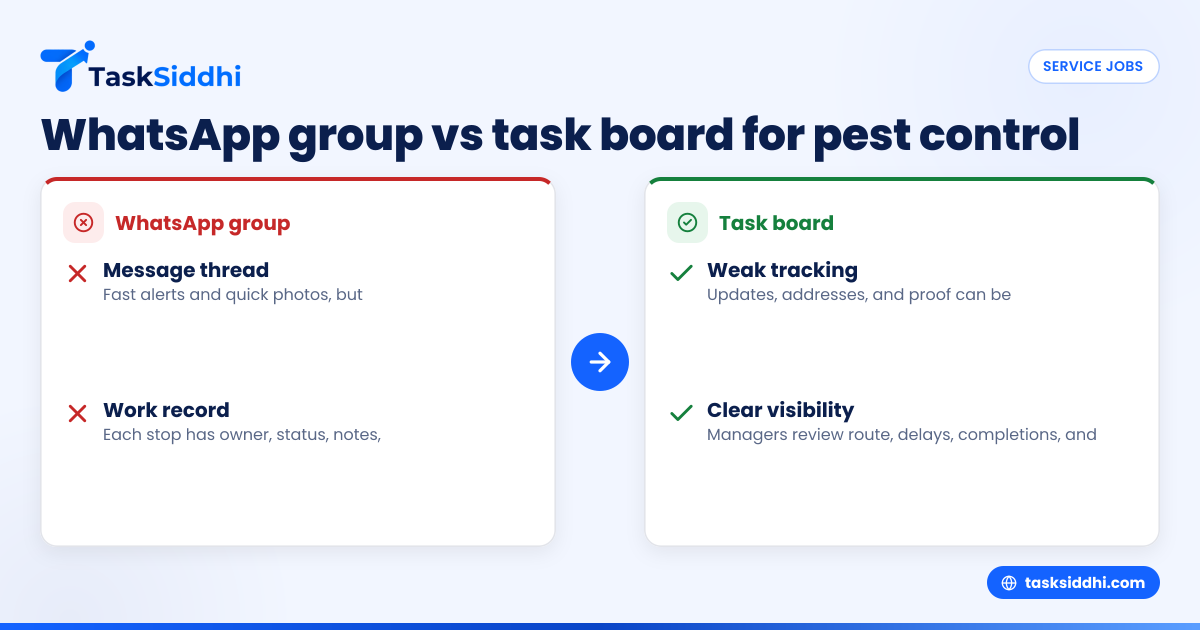
A WhatsApp group is a message thread. A task board is a work record. Use chat for urgent conversation. Use a board to assign stops, track status, store proof, and review results without searching old messages.
In a pest control business, the gap becomes obvious during a busy day. A dispatcher may post ten service changes in the morning. Technicians reply with photos, customer questions, delays, and "done" messages. By noon, important details are mixed with casual messages, missed replies, and side conversations.
A task board separates work from noise. Each stop sits on its own card or task. The technician updates that job. The office sees progress by status, not by reading a full thread.
Here is the practical comparison.
How a WhatsApp group works in the field
A group chat works well for:
- Fast alerts
- One-to-many updates
- Urgent changes
- Quick photos
- Team coordination during exceptions
But it creates problems when you need a reliable work trail:
- Messages arrive out of order
- One technician's update gets buried under another issue
- A "done" message may not include the exact address or details
- Photos are posted without context
- Managers need to ask follow-up questions repeatedly
- New office staff cannot easily review what happened
This is why many owners search for "whatsapp group vs task board for pest control teams." They are not asking whether chat is useful. They are asking when chat stops being enough.
How a task board works for service stops
A board gives each visit its own place. That job can include:
- Customer name
- Service address
- Scheduled date
- Assigned technician
- Priority
- Service notes
- Photos
- Completion status
- Follow-up actions
With boards and views, managers can see work by day, by technician, by status, or by customer type. That reduces the back-and-forth that usually happens in chat.
For pest control teams, this matters because one stop can create more work. A technician may need to mark a follow-up for traps, rodent activity, attic access, or a call-back after weather delays. In chat, those details disappear. On a board, they stay attached to the job.
Why do pest control teams outgrow group chat?
They outgrow it when daily work becomes too big to remember. Once several technicians handle recurring stops, call-backs, and route changes, a chat thread turns into a poor dispatch tool. Managers spend more time asking for updates than reviewing actual work.
The first sign is usually confusion, not disaster. A manager asks, "Who handled the Maple Street stop?" Someone replies, "I think Mike did." Then another person says the customer requested inside service, but the note is buried somewhere above.
The second sign is duplicate communication. The office sends a route update in the morning. Then it calls two technicians anyway to confirm they saw it. Then a customer calls asking for arrival status. The manager now checks chat, calls the technician, and texts the customer back.
The third sign is weak proof. In pest control, proof often means a time-stamped update, service note, before-and-after photo, gate issue note, or customer signature where needed by your workflow. If all of that sits in mixed chat messages, it is hard to defend the visit later.
The hidden cost of staying in chat
Most owners do not pay for group chat with cash. They pay with time.
That cost shows up as:
- Missed service stops
- Late follow-up visits
- Office staff chasing updates
- Technicians answering duplicate questions
- End-of-day manual reporting
- Poor visibility for the owner
Imagine a five-tech team in Chicago. Each tech handles 10 stops in a day. That is 50 service events. If the office spends even 3 extra minutes per stop finding updates, clarifying completion, or matching photos to addresses, that is 150 minutes a day. At $20 per hour in loaded admin time, that is about $50 per day, or roughly $1,000 per month over 20 workdays. The exact number will differ, but the pattern is common.
How should you track service stops, technician updates, and proof of completion?
Create one task for each stop. Assign it to a technician, add the address and service notes, require status updates inside the task, and attach photos or visit proof there. Keep urgent chat for exceptions, not as the main record.
That sounds simple because it is. The challenge is getting the process right so the team actually uses it in the field.
Step 1: Make each stop a separate job
Do not track a full route in one message. Create one task per customer stop.
Each task should include:
- Customer name
- Address
- Scheduled date
- Technician assigned
- Type of service
- Special notes
- Required proof
This structure gives the technician one clear place to work from.
Step 2: Use clear statuses
Simple statuses work best. For example:
- Scheduled
- In progress
- Completed
- Could not complete
- Follow-up needed
With this setup, a manager can glance at the board and know what still needs action. This is much faster than asking for updates in a group.
Step 3: Put technician updates inside the job
A technician should update the actual stop, not send separate messages that others must interpret later.
Useful updates include:
- On the way
- Arrived
- Access issue
- Service completed
- Customer requested call
- Heavy infestation found
- Return visit needed
This creates a clean job history. It also helps when a customer calls the office after the technician has already moved on.
Step 4: Capture proof of completion
Proof is often the biggest reason teams move away from chat. Pest control customers may ask what was treated, when someone arrived, or why a return visit is needed.
A good proof trail can include:
- Photo of serviced area
- Photo of trap or bait station
- Arrival or completion timestamp
- Service note
- Customer acknowledgment if your process requires it
For teams doing on-site work, field visits helps keep visit details connected to the actual job instead of scattering them across messages.
Step 5: Review exceptions at the end of the day
Managers should review only the jobs that need attention:
- Not completed
- Delayed
- Call-back needed
- Customer complaint
- Follow-up scheduled
This is where a board saves time. You review exceptions, not the full chat history.
Where does an ai whatsapp group fit in?
An ai whatsapp group may help summarize messages or surface reminders, but it still starts from chat. It does not replace a structured task record for each service stop, completion status, and proof trail.
That matters because even smart summaries inherit the limits of the original workflow. If technicians post updates in different formats, forget addresses, or send photos without context, the summary will still be incomplete.
Think of it this way:
- Chat tells you what people said
- A board tells you what happened to the job
An ai whatsapp group can reduce some reading time. It cannot create accountability where the process itself is loose. Pest control operations need consistency more than message intelligence.
If you want automation, use it around the work record. For example, automation can move jobs by status or trigger follow-up actions without relying on someone to notice a chat message.
What should a good task board include for pest control work?
It should show each stop, assigned technician, due date, status, service notes, and proof in one place. It should also make it easy to review today's route, delayed jobs, and follow-up visits without switching between chat, spreadsheets, and paper notes.
Beyond the basics, a useful setup for pest control service jobs usually includes a few operational details.
Route visibility
Managers need to see who is overloaded and who can take an extra stop. If all assignments live in chat, balancing the day is slow.
A board view can help the dispatcher see:
- Open jobs by technician
- Jobs due today
- Call-backs
- High-priority commercial sites
- Missed or delayed visits
Mobile updates from the field
Technicians should not wait until evening to report work. Updates need to happen on-site or right after the stop.
A mobile app matters here because field teams work from phones, not desktops. If updates are hard to enter, people will fall back to chat.
Time records for payroll or job costing
Not every pest control company needs detailed time logs. But some do, especially when jobs vary by service type or customer contract.
In those cases, time tracking can help connect hours to actual work instead of relying on memory at the end of the week.
Reporting for owners and office managers
At the end of the week, owners want simple answers:
- How many stops were completed?
- Which jobs were delayed?
- Which technicians handled the most visits?
- How many follow-ups were created?
That is where reporting becomes more useful than a pile of exported messages.
A simple way to move from WhatsApp to a task board
Do not switch everything in one day. Keep the change small and operational.
Start with one board for live service work
Create one board only for active service stops. Do not add every internal process at first. Focus on daily dispatch and job completion.
For teams handling recurring pest control visits, this should cover:
- Today's stops
- Re-service calls
- Follow-up visits
- Commercial priority jobs
Set one rule for the team
A simple rule works best:
"If the update affects the job, post it in the task."
This one sentence changes behavior. Chat can still exist for urgent coordination, but job facts belong in the job.
Train technicians on the minimum required update
Do not overcomplicate field usage. Start with:
- Change status
- Add note if needed
- Attach photo if required
That is enough to build a reliable trail.
Review compliance every afternoon
For the first two weeks, the manager should check:
- Which jobs were left without status
- Which jobs missed proof
- Which technicians still rely on chat
This is not about policing people. It is about building a habit.
Keep chat for urgent exceptions
You do not need to ban WhatsApp. That usually fails.
Instead, use chat only for:
- Emergency route changes
- Safety issues
- Immediate team alerts
- Fast coordination during customer escalation
Then move the final job result back into the board.
For service businesses managing recurring customer work, service jobs is the kind of setup that helps separate dispatch noise from actual job history.
When is a WhatsApp group still enough?
A WhatsApp group may still be enough if you have a very small team, very low job volume, and the owner personally knows every stop happening each day.
For example, if you have two technicians, limited routes, and few customer disputes, chat may not feel painful yet. But even then, look for the warning signs:
- You scroll often to find old updates
- Customers ask for proof you cannot quickly locate
- Technicians post "done" without details
- The office re-enters data into a spreadsheet later
- End-of-day reporting takes too long
Once those signs appear regularly, the team is already paying the cost of weak tracking.
The practical decision for a U.S. pest control owner
This is not really a decision between communication and software. You need both. The real decision is where the official work record should live.
If the record lives in a WhatsApp group, your team will always depend on memory, message searching, and repeated follow-up. If the record lives on a board, you can still chat when needed, but the job stays visible from assignment to completion.
That difference becomes more important as your company grows from five people to ten, then to twenty. More technicians means more stops, more exceptions, more customer questions, and more risk that important details get lost.
A board also helps when ownership wants cleaner operations. You can standardize dispatch, reduce missed updates, and create a more dependable service trail without making field work complicated.
If you want to see the full set of features, it helps to think in terms of one goal: every service stop should be easy to assign, update, prove, and review.