

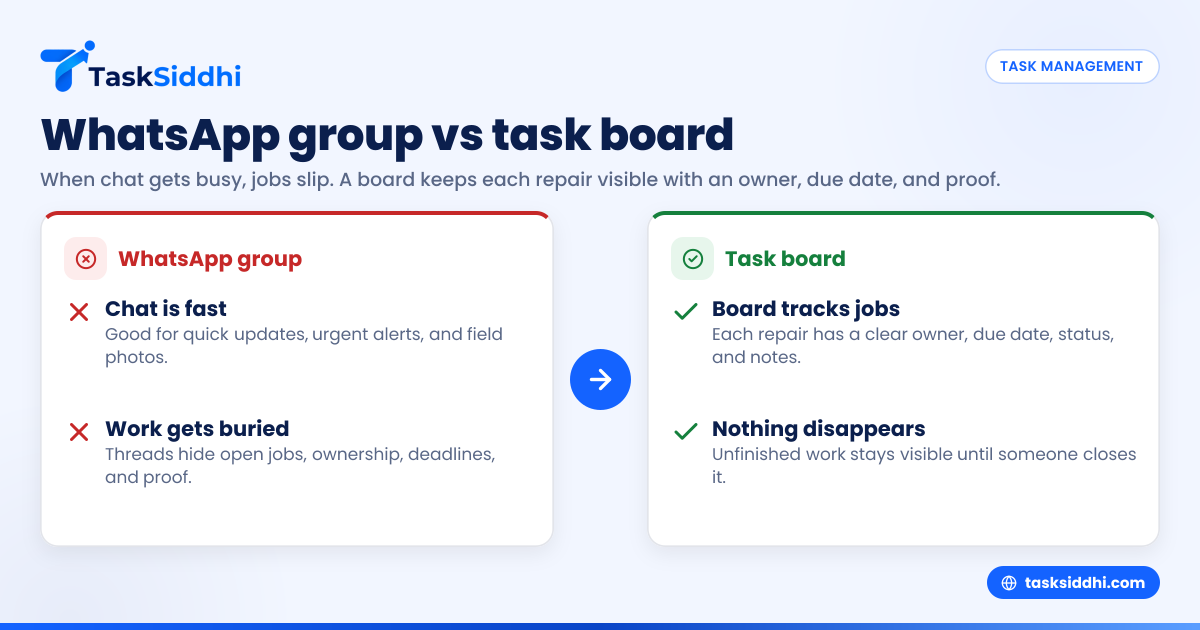
If your property maintenance team runs on a WhatsApp group, it can work for a while. But once jobs pile up, text threads make it easy to miss updates, lose proof, and forget who owns what. A task board gives each job a clear place, owner, due date, and status.
Key takeaways
- A WhatsApp group is fast for chat, but weak for job tracking and accountability.
- Property maintenance teams in the United States often hit problems when jobs, sites, and vendors increase.
- A task board helps prevent missed jobs by turning messages into visible work with owners and deadlines.
- The switch matters most for multi-site teams handling repairs, turnovers, inspections, and recurring work.
- You do not need to stop team chat. You need a better system for assigning, tracking, and reporting work.
Why this choice matters for U.S. property maintenance teams
Property maintenance work moves fast. Tenants call. Managers text. Owners want updates. Vendors ask for access details. A supervisor may be in Houston while a technician is driving between sites. In that environment, a WhatsApp group feels easy.
It is easy because everyone already knows how to use it. A team can post a leak photo, ask who is nearby, and get a reply in seconds. For a very small team with a handful of jobs, that may be enough.
The problem starts when chat becomes your operating system.
A text thread is not a job list. It is not a schedule. It is not a reliable record of completed work. When your team handles turnovers, preventive maintenance, landscaping, HVAC calls, common-area repairs, punch lists, and vendor follow-ups, the thread becomes noise.
That is when missed jobs begin.
A regional property services company in Chicago may have one group for all technicians. Another group for site managers. A third group for after-hours issues. A leak report comes in. Someone replies, “On it.” Then three more messages come in about a gate, a unit turnover, and a broken exterior light. By the end of the day, no one is fully sure whether the leak was fixed, documented, billed, or still open.
That is not a people problem. It is a system problem.
What is the real difference between a WhatsApp group and a task board?
A WhatsApp group is for conversation. A task board is for work tracking. The difference is simple: chat is chronological, while a board is structured by job, owner, and status.
In a text thread, the newest message pushes older work down. In a task board, an unfinished job stays visible until someone closes it. That one difference changes how a property maintenance team operates.
What WhatsApp groups do well
WhatsApp groups are useful for:
- Quick updates from the field
- Urgent alerts
- Photos sent in real time
- Fast team communication
- Simple coordination between people already involved
For example, a technician can post, “Running 20 minutes late to the property on West End,” and the supervisor sees it right away. That is helpful.
But helpful communication is not the same as dependable task control.
What task boards do well
A task board helps teams manage:
- New job intake
- Assignment to the right person
- Due dates and priority
- Status changes
- Site-specific records
- Proof of work
- Repeatable workflows
- Reporting across open and closed jobs
With a board, each repair request becomes its own item. It has a title, site, deadline, assignee, notes, photos, and status. It does not disappear because someone posted three new messages.
That structure is the main reason teams move away from chat-only operations.
When does a WhatsApp group start causing missed jobs?
Usually when the team has more jobs than people can remember. Missed jobs happen when work lives inside long threads, private side chats, and verbal handoffs instead of one shared system.
This does not happen all at once. It shows up in small failures first.
Early warning signs
You may already be seeing it if your team says things like:
- “I thought Mike was handling that.”
- “Can you resend the address?”
- “Did anyone get before-and-after photos?”
- “I saw the message, but then I forgot.”
- “Was that for Building A or Building C?”
- “I never knew that was due today.”
These are signs that communication exists, but control does not.
The common breaking points
Most property maintenance teams outgrow a WhatsApp group when they hit one or more of these points:
- More properties or units One property is manageable in chat. Ten properties are not.
- More recurring work Recurring inspections, filter changes, and grounds work need predictable tracking.
- More technicians or vendors Once several people can act on a message, ownership becomes blurry.
- More proof requirements Owners and managers want photos, timestamps, notes, and job history.
- More billing pressure If billable work is not logged cleanly, revenue slips.
- More manager oversight Supervisors need a quick view of open work, not 400 unread messages.
At that stage, even an ai whatsapp group summary would not solve the core issue. Summaries may help you read faster, but they do not create accountability, due dates, or a reliable job record.
Why do text threads fail as a work system?
Because messages are built for reading, not for managing. They show what was said, but they do not reliably show what is still open, who owns it, or what happened next.
That weakness creates several practical problems.
Ownership gets lost
In chat, someone may reply with “I’ll check.” That sounds like ownership. But it often means “I saw this” rather than “I accept responsibility and will finish it.”
A task board makes ownership explicit. One person is assigned. Others can watch. The team knows who is responsible.
Deadlines are not visible
A due date buried in a text thread is easy to miss. If your team has move-out prep due by Friday, a parking lot light repair due today, and a preventive check due next week, those timelines should not live in scattered messages.
Boards keep deadlines visible. That matters when managers are balancing resident expectations and service-level promises.
Proof gets scattered
Photos in chat are useful in the moment. But later, can you quickly find the exact photo for Unit 204 from last Tuesday? Can you prove when the team arrived, what was done, and whether the issue was resolved?
Property maintenance work often needs traceable records. This is especially true when managers need updates for owners, tenants, or internal operations teams.
Reporting becomes manual
When work lives in chat, a manager often has to build reports by hand. They search threads, call technicians, review photos, and update a spreadsheet.
That wastes time. It also increases the chance that something important gets left out.
A better setup stores jobs in one place and supports reporting without forcing a supervisor to reconstruct the week from memory.
What does a task board look like in daily property maintenance work?
A task board organizes work into clear stages. For example: New, Scheduled, In Progress, Waiting, Done. Each card represents one job. The team can scan the board and understand the day in minutes.
That basic structure fits many U.S. property maintenance operations.
Example workflow for a maintenance team
A small company in Detroit handling apartment turnovers and common-area repairs might use a process like this:
- New request comes in A manager receives a repair request by phone, email, or text.
- Create a task The issue becomes a job card with property name, unit number, priority, and notes.
- Assign the work A supervisor assigns it to a technician or vendor.
- Schedule the visit The team sets a target date and adds access instructions.
- Capture field proof The technician adds photos, notes, and status updates on site.
- Close and review A manager confirms the work is complete and follows up if needed.
This is why many teams move to tools with boards and views, field visits, and a mobile app. The point is not to add software for its own sake. The point is to stop letting jobs disappear into chat history.
Should you replace WhatsApp completely?
No. Most teams still need fast communication. The better approach is to stop using WhatsApp as the main place where jobs live.
Use chat for quick coordination. Use a task board for actual work control.
That split is practical. A technician can still message, “Gate code changed,” or “Running late.” But the repair itself should be tracked as a job with an owner, due date, and proof.
A simple rule that works
Use this rule:
- If it needs action, it belongs on the board.
- If it is just a quick update, it can stay in chat.
That one rule removes a lot of confusion.
It also helps managers train the team. Instead of debating every case, you make work visible by default.
How do you know it is time to switch?
If managers must search chats to understand open work, it is time. If jobs are being forgotten, duplicated, or closed without proof, your team has already outgrown a chat-only setup.
There are a few strong signs.
Operational signs
- You manage multiple properties or client locations
- Jobs stay open because no one owns them clearly
- Supervisors ask for repeated status updates
- Proof of completion is inconsistent
- Vendors and technicians work from different message threads
- Office staff rebuild reports in Excel after the fact
Financial signs
Missed work is not just annoying. It costs money.
A missed turnover can delay occupancy. An untracked repair can create a callback. Poor records can slow approval for invoices. If technicians are doing billable work but the time or proof is incomplete, revenue may leak.
That is why teams often pair job tracking with time tracking and simple automation for reminders and status updates.
How can you move from WhatsApp to a task board without chaos?
Start small. Do not try to redesign every process at once. Pick one workflow, one team, and one clear rule for where work gets tracked.
That keeps adoption realistic.
Step 1: pick the jobs that get missed most often
Start with a job type that causes repeat issues, such as:
- Unit turnovers
- HVAC service calls
- Make-ready punch lists
- Exterior repairs
- Preventive site visits
These jobs usually have enough steps and proof needs to benefit from structure right away.
Step 2: define a simple board
Create a board with 4 to 6 stages. Keep it easy to understand.
Example:
- New
- Assigned
- Scheduled
- In progress
- Waiting
- Done
Do not overbuild the process on day one.
Step 3: set the minimum job card fields
Every task should include the basics:
- Property or site name
- Unit or exact location
- Job description
- Assignee
- Due date
- Priority
- Photos or notes if needed
That gives managers enough structure without slowing the team down.
Step 4: decide what stays in chat
Tell the team exactly what chat is still for:
- Urgent alerts
- Running late
- Access issues
- Quick coordination
Then make one clear policy: no job is considered assigned until it exists on the board.
Step 5: review the board daily
For the first few weeks, managers should review open work every day. This helps the team build the habit. It also shows where the workflow needs adjustment.
Teams that handle service jobs or client work often find this step is what makes the change stick.
What should property managers and owners expect from the new system?
They should expect fewer “I thought that was done” moments. They should also expect faster status checks, cleaner records, and less time spent chasing updates.
A task board does not remove the need for good people or strong processes. It supports them.
Better visibility
A supervisor can see:
- What is new
- What is late
- What is waiting
- Who is overloaded
- Which properties have repeat issues
That is hard to get from a chat thread.
Better accountability
A board creates a shared source of truth. People know what they own. Managers know where to follow up. Completed work is easier to verify.
Better reporting for clients and leadership
Whether you manage in-house properties or client sites, stakeholders want clear updates. A structured system makes that much easier than reading back through weeks of messages.
This is where a task management platform with core features can help a growing team move beyond “message and hope.”
What if your team says, “Chat is faster”?
They are right. Chat is faster for sending a message. It is not faster for running operations once work volume grows.
That is an important distinction.
A system that feels fast in the moment can be slow overall because it creates rework. Managers ask again. Technicians resend photos. Office staff rebuild records. Clients wait for answers. Jobs get missed, then rushed.
A task board may take a few extra seconds to update. But it saves time across the full life of the job.
That tradeoff is worth it for most property maintenance teams with regular field work.
Frequently asked questions
Is WhatsApp ever enough for a property maintenance team?
Yes, for a very small team with low job volume and simple work. But once you manage multiple properties, recurring jobs, or several technicians, chat alone usually stops being reliable.
Can we still use WhatsApp if we switch to a task board?
Yes. Many teams keep chat for quick coordination and urgent updates. The key is that jobs, deadlines, ownership, and proof should live on the board, not inside message threads.
What kinds of jobs should go on a task board first?
Start with jobs that are easy to forget or hard to prove later. Turnovers, inspections, recurring maintenance, and repair calls are usually the best first workflows to move.
Will a task board slow technicians down?
Not if the setup is simple. A clear job card, mobile updates, and a few required fields usually save time by reducing repeat questions and missed details.
Does this matter if we already use Excel?
Yes. Excel can list jobs, but it is weak for live field coordination, status updates, proof collection, and day-to-day accountability. A board is easier for teams to use in real time.
If your team is starting to miss jobs because work is buried in text threads, TaskSiddhi can help you move to a clearer system for assignments, field updates, and follow-through. See the product tour to understand how it works, or compare options on the pricing page.