

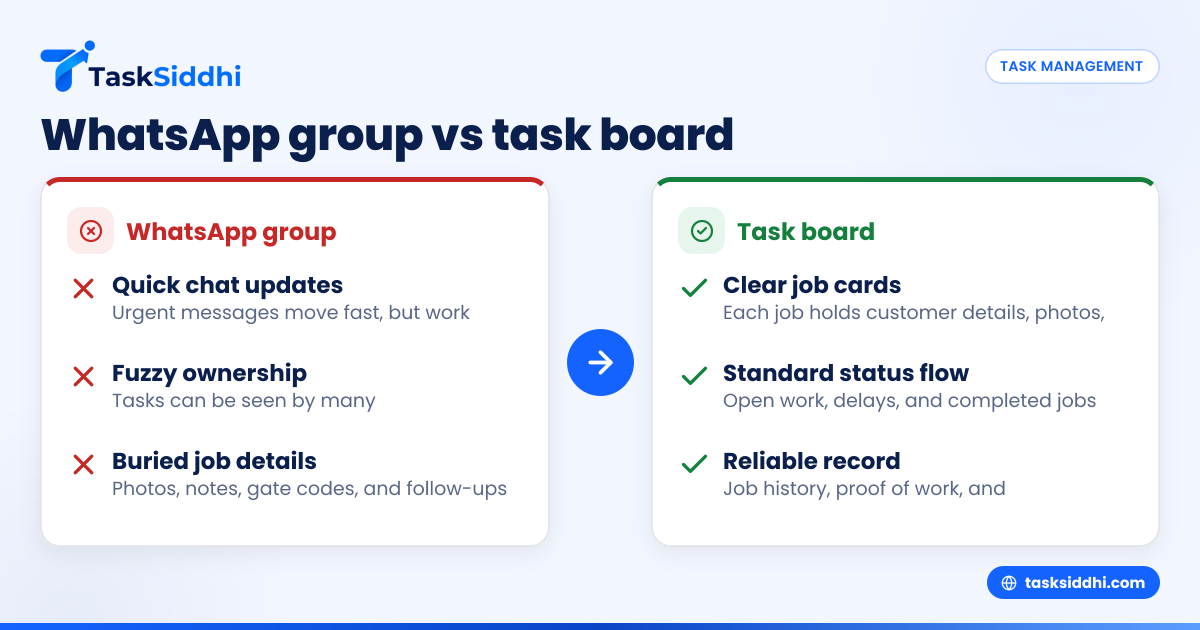
If your team runs jobs from a WhatsApp group, work moves fast at first but gets messy as volume grows. In the United States, a task board gives small field and service teams clearer ownership, better follow-up, and a cleaner record of what happened on every job.
Key takeaways
- A WhatsApp group is quick for urgent updates, but weak for tracking status, ownership, and due dates.
- A task board helps small U.S. teams see who is doing what, what is late, and what is done.
- For field and service work, job details, photos, time, and follow-up are easier to manage in one place on a board.
- A task board reduces missed messages, repeated calls, and “I thought someone else handled it” errors.
- Many teams keep WhatsApp for chat but move job control, reporting, and proof of work into a dedicated system.
- If you manage 5 to 30 people, the switch usually pays off in fewer mistakes and faster customer response.
What is the real difference between a WhatsApp group and a task board?
A WhatsApp group is a message stream. A task board is a work system. Messages are good for talking. Boards are better for assigning, tracking, and closing work.
That sounds simple, but it matters a lot for small teams in the United States. If you run HVAC service calls in Houston, property maintenance in Chicago, or repair visits around Detroit, your day is full of moving parts. New jobs come in. A tech gets delayed. A customer asks for an ETA. Someone needs a photo from the site. Another job needs a follow-up next Tuesday. In a group chat, all of this lands in one scrolling feed.
A task board organizes that same work into clear units. Each job becomes its own card. Each card can hold the customer name, address, scope, photos, notes, due date, assignee, and status. Instead of searching a chat for what happened, you open the card and see the full job history.
For very small teams, the WhatsApp group often feels “good enough.” That is because the owner or dispatcher still remembers most things. But when your team reaches 5, 10, or 20 people, memory stops scaling. That is where a board starts to win.
You can explore how structured work tracking looks in practice with boards and views.
Why do small field teams outgrow a WhatsApp group?
They outgrow it when messages stop being communication and start becoming the only system of record. At that point, every update depends on someone reading the right message at the right time and remembering what to do next.
Here is what usually breaks first in U.S. field and service teams:
- Ownership gets fuzzy A message says, “Can someone handle 1458 West Elm by 3 PM?” Three people read it. Nobody owns it clearly.
- Status is hard to trust One tech says “on the way.” Another message later says “job done.” But there is no standard status flow.
- Important details get buried Gate codes, customer notes, part numbers, and photos vanish into the chat history.
- Follow-ups get missed If a job needs a return visit next week, it may not stay visible unless someone creates a separate reminder elsewhere.
- Managers become bottlenecks The owner or dispatcher spends the day repeating updates by phone and text.
- Reporting is painful At the end of the week, there is no easy answer to basic questions like how many jobs were completed, which techs were overloaded, or which customer sites needed repeat visits.
This is the point where some teams start searching for an ai whatsapp group solution. What they usually want is not smarter chat. They want structure, visibility, and less manual follow-up. AI can help summarize messages, but it does not fix the core problem that a chat thread is not a task system.
Which one is better for day-to-day operations?
For day-to-day operations, a task board is better once your team handles recurring jobs, multiple assignees, deadlines, or customer follow-ups. WhatsApp is still useful for quick coordination, but not as the main place where work is assigned and tracked.
In practice, the “better” tool depends on the job type.
Where WhatsApp works well
WhatsApp is strong when the update is short and urgent. For example:
- “Running 20 minutes late”
- “Customer asked us to use the side entrance”
- “Send me the lockbox code”
- “Traffic on I-94 is heavy”
These are communication moments. A group chat handles them well.
Where a task board works better
A board is stronger when the work needs a repeatable process. For example:
- New service request comes in
- Dispatcher assigns the job
- Tech confirms arrival
- Photos are uploaded
- Time is logged
- Parts are noted
- Job is marked complete
- Office reviews for billing
- Customer needs a follow-up visit
That is not one conversation. That is a workflow.
For teams doing service jobs, this difference matters quickly. The more repeatable your work is, the more value you get from moving job control out of chat and into a board.
What problems show up when you manage work in chat?
Work in chat usually breaks on visibility, accountability, and retrieval. You can talk in a chat, but you cannot manage growing operational complexity well inside a message feed.
The biggest issue is not that people fail to communicate. It is that communication and execution get mixed together.
Messages are not tasks
A message can contain a task, but it is not a task. It has no standard fields. It may not have an owner. It may not have a due date. It may not sit in a workflow.
When the dispatcher posts ten updates between 8 AM and 9 AM, the team has to mentally sort which messages are urgent, which are complete, and which still need action.
Search is not the same as control
Yes, you can search a group. But searching is reactive. You use it after something has already become unclear.
A task board is proactive. It shows open work before it becomes a problem.
New staff struggle faster
Experienced team members may know the shortcuts. New hires do not. They do not know which message matters, which customer is high priority, or where the latest instruction lives.
That creates extra calls, more errors, and slower ramp-up.
Managers cannot see workload clearly
In chat, one tech may be overloaded while another is free. But the imbalance is hard to spot. In a board, open jobs by person and status are visible immediately.
That kind of visibility matters if you handle field visits across a city or several counties.
How does a task board improve control without slowing the team down?
A task board improves control by making each job visible, assigned, and trackable in one place. It does not have to add extra admin if the workflow matches how your team already works.
The fear many U.S. small business owners have is simple: “I do not want another tool that slows everyone down.” That fear is fair. If a system creates more typing and more steps, the team will go back to chat and phone calls.
A good task board works because it reduces repeated work.
Each job has one home
Instead of spreading details across calls, text threads, and notebooks, the job card becomes the source of truth. That cuts down on “Can you resend that address?” and “Who took the before photo?”
Status becomes standard
You can use clear stages like:
- New
- Scheduled
- On the way
- On site
- Waiting on parts
- Completed
- Needs follow-up
Now everyone reads the same signal. There is less guessing.
The office and field team stay aligned
The office can assign and review jobs. The field team can update from the road. That is especially useful if your team uses a mobile app while traveling between sites.
Time and proof are easier to capture
For service businesses, details matter after the visit too. You may need a photo, a timestamp, a technician note, or job duration for billing or payroll review. A board paired with time tracking makes this much easier than trying to rebuild the day from chat messages.
A practical comparison for a U.S. service business
Let’s say you run a 12-person appliance repair company in Chicago. You have eight technicians, two office staff, one dispatcher, and one owner. You handle 20 to 35 jobs a day.
If you manage with a WhatsApp group
Your dispatcher posts new jobs into the group. Techs reply with quick updates. Customers also call the office for ETA changes. Some photos land in the group. Others stay on a tech’s phone. At day’s end:
- One completed job never got marked for billing
- One return visit for Friday is missing
- Two techs both thought the other one had a same-day add-on
- The owner spends 45 minutes figuring out what is still open
This setup feels fast in real time. But it creates cleanup work later.
If you manage with a task board
Each repair call is a card. The dispatcher assigns the tech. The status changes as the work moves. Notes, photos, and next steps stay attached to the card. At day’s end:
- Open jobs are visible
- Return visits are still on the board
- Billing-ready jobs are easy to find
- The owner sees workload and delays without reading a 200-message thread
This does not remove communication. It gives communication a structure.
Can you keep WhatsApp and still use a task board?
Yes. Many small teams in the United States keep WhatsApp for quick communication and use a task board for actual job control. That is often the easiest transition.
You do not need to ban chat. You need to stop using chat as the only place where work lives.
A simple split that works
Use WhatsApp for:
- Quick updates
- Urgent coordination
- Route delays
- Fast questions
Use a task board for:
- Job assignment
- Customer details
- Due dates
- Status
- Photos and notes
- Follow-ups
- Reporting
That split respects how field teams really work. People still need fast conversation. They also need reliable records.
This is also where the idea of an ai whatsapp group can be misleading. Even if AI summarizes the conversation, your manager still needs structured tasks, owners, and statuses. Summaries help reading. They do not replace a workflow.
How do you move from WhatsApp to a task board without chaos?
Start small. Move active job tracking first, not every process at once. Keep the change simple for the field team.
Here is a practical rollout plan.
1. Pick one workflow
Do not migrate the whole business in a week. Start with one repeatable workflow, such as service calls, maintenance visits, or install follow-ups.
2. Define 5 to 7 statuses
Do not overbuild. A simple workflow is easier to adopt. Use only the stages your team really needs.
3. Standardize what goes on every job card
At minimum, include:
- Customer name
- Address
- Contact number
- Job type
- Assigned tech
- Due date or visit date
- Notes
- Required photo or proof
4. Keep WhatsApp for coordination during rollout
Tell the team: “Chat for quick updates, board for job status.” This avoids resistance.
5. Train managers before techs
If the office team is not disciplined, the rollout will fail. Dispatchers and managers must update the board consistently first.
6. Review every day for two weeks
For the first two weeks, check:
- What stayed in chat that should be on the board
- Which statuses are confusing
- Which job details are still missing
- Where delays happen
7. Add reporting after the workflow is stable
Once jobs are being tracked consistently, then start using reporting to review completion, delays, repeat visits, and team workload.
What does it cost?
The real cost is not just software. It is missed jobs, repeat calls, unbilled work, and manager time spent chasing updates. For many U.S. teams, those hidden costs exceed the monthly app cost once the team is busy enough.
A lot of owners compare “free chat” with “paid software.” That comparison misses the labor cost of disorder.
Hidden costs of staying on WhatsApp only
Here are common examples:
- A $180 service call gets completed but not billed promptly
- A dispatcher spends 1.5 hours a day chasing updates
- A return visit is missed and creates an upset customer
- Two techs drive to the same site by mistake
- The owner cannot see who is overloaded, so jobs are assigned poorly
These are not rare edge cases. They are normal signs that the team has outgrown chat-based operations.
Software cost is easier to justify when the process is clear
Before you evaluate tools, estimate your current waste:
- How many jobs are delayed each week due to missing information?
- How many manager hours go into status chasing?
- How many follow-ups are handled from memory?
- How often does billing wait because job proof is incomplete?
Then compare that with a structured system. If you want to understand plan differences, see free vs paid.
What should you look for in a task board for field and service work?
Look for a tool that fits real field operations, not just office project management. Your team needs speed, clarity, and records they can trust.
Start with the workflow
The board should let you match the stages of your operation. If your jobs move from intake to dispatch to on-site work to completion, your system should reflect that clearly.
Make mobile use easy
Your field team will not update a system that is painful on the road. Mobile matters because work happens at the job site, not at a desk.
Capture job evidence
Service businesses need more than task names. They often need site notes, proof, updates, and timing details tied to each visit.
Reduce manual follow-up
If repetitive steps can be handled through automation, managers spend less time chasing routine updates.
Keep the view simple
A small business does not need a huge enterprise setup to get value. It needs clear job tracking, strong daily visibility, and enough structure to stop work from slipping.
You can see the broader set of features if you want a practical view of how a work-management system supports field teams.
When is WhatsApp still enough?
WhatsApp may still be enough if your team is very small, job volume is low, and the owner personally sees most work as it happens. If you do only a handful of jobs a day and follow-ups are rare, chat may hold up for a while.