














WhatsApp groups provide quick communication for US service teams but lack organized task tracking and accountability. A task board system offers clear job assignment, time tracking, proof capture, and reporting to improve management and customer satisfaction.
Key takeaways
- WhatsApp groups are simple but offer poor job tracking and proof management.
- Task boards organize jobs with visible status, deadlines, and assigned owners.
- Built-in time tracking and photos reduce disputes and enhance service quality.
- Reporting tools give insights to optimize field operations and billing accuracy.
- Task boards prevent missed jobs common in WhatsApp-only workflows.
- Mobile apps enable real-time updates for remote field teams.
Why do US service businesses use WhatsApp groups for field jobs?
WhatsApp groups are popular because they are free, easy to use, and familiar to many. Managers and field workers quickly share updates, job details, and photos. For small businesses in cities like Houston or Chicago, WhatsApp groups fill the gap when no formal tool is available.
For example, a plumbing firm in Houston may create a WhatsApp group where dispatchers post job requests, technicians update status, and send photos of pipe repairs as proof. This informal setup keeps teams connected during busy days, especially when workers move between sites.
However, WhatsApp groups are not designed for managing service jobs. Information gets buried in long message threads. It’s hard to assign clear responsibility or track job progress. Photos and updates are scattered, making proof retrieval time-consuming. Managers often scroll through hundreds of messages to piece together job statuses or customer info.
This reliance also risks data loss and privacy leaks. Without a structured workflow or reporting, managers depend on memory or manual notes, increasing chances of billing mistakes, missed deadlines, or dissatisfied customers.
How do WhatsApp groups and task boards compare for managing service jobs?
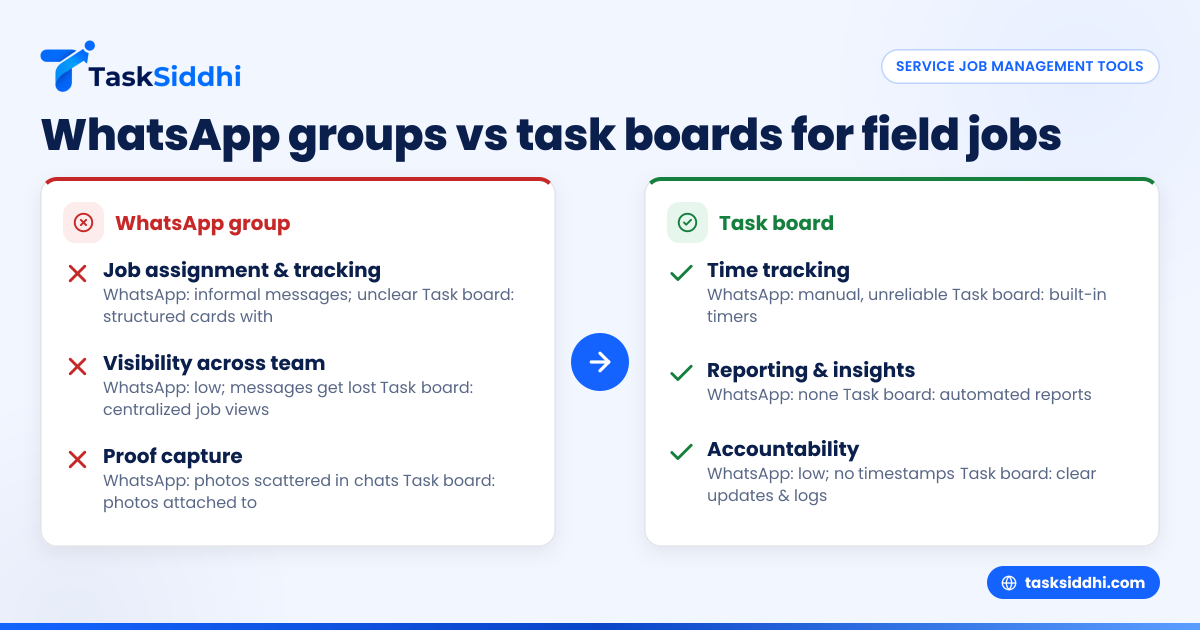
WhatsApp groups offer informal chat-based coordination but lack structured task management. Task boards provide visibility, accountability, and operational tools.
| Feature | WhatsApp group | Task board |
|---|---|---|
| Job assignment and tracking | Via informal messages; unclear | Structured job cards with owners |
| Visibility across team | Low; messages get lost | High; centralized job views |
| Proof capture | Photos scattered in chat | Photos attached to specific cards |
| Time tracking | Manual, unreliable | Built-in timers |
| Reporting and insights | None | Automated reports improve ops |
| Accountability | Low; no formal timestamps | Clear updates and status logs |
How do WhatsApp groups and task boards compare for managing service jobs?
WhatsApp groups are quick for chats but lack structured tracking, leading to lost messages and unclear ownership. Task boards provide real-time job visibility, proof capture, and time tracking, enabling better management and reducing errors. This makes task boards much more reliable for service job workflows.
Example: managing a service call in Detroit
Consider an HVAC company in Detroit using WhatsApp to dispatch and update jobs. Dispatchers post job details and technicians reply with photos upon completion. Over time, messages get jumbled, updates are missed, and tracking job duration is difficult. Billing and payroll accuracy suffer.
With a task board, each job is a card showing assigned technician, client address, schedule, and attached proof. Time tracking starts when work begins and stops on completion. Managers get up-to-date status and detailed reports on jobs and labor hours, preventing overlooked tasks and improving customer trust.
What does "AI WhatsApp group" imply and can AI improve WhatsApp job management?
“AI WhatsApp group” means integrating artificial intelligence in WhatsApp chats to assist communication. AI chatbots might summarize conversations, automate reminders, or prompt follow-ups.
While AI can reduce message overload, it cannot replace structured task management. WhatsApp lacks the framework for assigning jobs or tracking progress properly. AI bots don’t create job cards, log working hours, or generate operational reports crucial for service teams.
Task board software remains essential for managing field jobs effectively beyond chat automation.
How does a task board improve visibility for US service teams?
A task board organizes all jobs into cards showing status, assignee, priority, and due dates in one view. Managers quickly see what’s pending or completed without searching through chats, and technicians know their next tasks clearly.
In large US cities like Detroit or Minneapolis, this centralized visibility prevents dropped jobs and supports punctual, reliable service.
Step-by-step visibility with task boards
- Create job cards with client address, task details, and priority.
- Assign technicians or subcontractors to jobs.
- Update job status — "Assigned," "En route," "On site," "Completed."
- Set deadlines visible across the team.
- Managers monitor job cards sorted by status or date.
- Receive automatic reminders for overdue jobs.
This structured process keeps jobs on track and progress transparent.
Can a task board capture proof of work better than WhatsApp?
Yes. Task boards let workers attach photos and documents directly to job cards, making proof easy to access and verify.
On WhatsApp, proof photos get mixed in chat threads and are hard to find, delaying billing and dispute resolution.
Clear proof capture supports US customer contracts and warranty claims, boosting service reliability.
Worked example: electrical repair proof in Chicago
An electrical contractor in Chicago uploads wiring repair photos directly to the job card. Customer signatures and notes may also be added. When billing, the manager pulls all proof from one place, expediting payment and reducing disputes.
Using WhatsApp alone scatters proof in chats, slowing the process.
How does time tracking on task boards help US service business billing?
Task board time tracking records when technicians start and finish work, providing accurate logged hours for billing and payroll.
WhatsApp relies on manual chat reports that are often inaccurate, risking lost revenue or customer distrust.
Built-in timers in task boards sync with US financial tools like QuickBooks to improve invoicing and compliance.
Steps to track time effectively
- Technician starts timer when work begins.
- Pause and resume timers if needed.
- Stop timer upon job completion.
- Managers review total time per job.
- Export time data for payroll or billing.
- Maintain audit trails for compliance.
Accurate tracking ensures fair pay and precise billing.
Will switching from WhatsApp groups to task boards be hard for my team?
Switching takes effort but yields lasting benefits. Teams often welcome relief from chaotic message threads.
Task board systems include mobile apps so technicians update jobs and capture proof on-site. Integration with payroll and reporting tools eases adoption.
Tips for smooth transition
- Introduce job cards and status updates first.
- Train managers to use boards and views.
- Provide hands-on practice with the mobile app.
- Keep WhatsApp for casual chats.
- Use automation for reminders.
- Track improvements and celebrate milestones.
Most teams find task boards easier and more reliable within weeks.
Why do reporting features matter for service jobs in the United States?
Reporting provides automated audits of completed jobs, employee hours, and client locations, crucial for US tax and billing compliance.
States with sales tax requirements need accurate records. Reports also highlight inefficiencies like delays or repeat visits for operational improvements.
Example use of reporting for a landscaping company in Seattle
A landscaping business uses reports to identify teams needing training and monitor client scheduling. Reports feed payroll reconciliation and 1099 preparation for subcontractors, avoiding billing disputes.
Data-driven control improves profitability.
How do mobile apps complement task boards for field teams?
Mobile apps put task boards in technicians’ hands on site. Technicians update status, log time, and upload photos instantly.
This real-time sync beats WhatsApp in reducing delays and information loss, especially for remote teams in spread-out cities.
Many apps support offline mode, syncing updates when back online.
Practical mobile app benefits
- Instant photo and signature capture.
- Accurate time logs at job sites.
- Push notifications for reminders.
- Offline data entry syncing later.
- Ready access to job details and checklists.
These features cut paperwork and keep managers updated.
Conclusion
US service businesses manage field jobs far better with task boards than WhatsApp groups alone. Structured tracking, job visibility, proof capture, and reporting reduce errors and disputes. Mobile apps and automation further streamline operations, helping teams deliver excellent service with less hassle. See how it works on a product tour or compare plans at pricing.
Frequently asked questions
Can my team keep using WhatsApp along with task boards?
Yes, WhatsApp works well for informal chats. But critical job info and proof should be tracked on the task board for accuracy and accountability. This dual approach balances ease and control.
Is a task board system expensive for a small US service business?
Many task board solutions have free tiers for small teams and paid plans adding features like time tracking and automation. Choose based on your team’s size and needs for best value.
How does task board software handle customer privacy?
Task boards for US businesses follow data security best practices, including access controls and encrypted storage. Review the provider’s privacy policy and set user roles carefully to protect sensitive data.
Will task boards work for both in-house and subcontractor teams?
Yes, task boards allow assigning jobs to all team members including subcontractors. You control their access to information, supporting US 1099 compliance and data security.
What kind of proof can I collect besides photos?
You can add documents, customer signatures, notes, and checklists per job to enhance quality and compliance. These records support contracts and auditing needs.
Can task boards integrate with accounting or CRM software?
Many task board apps offer integrations or exports to tools like QuickBooks and Stripe. This automates billing and client record updates, reducing manual work and improving cash flow.