














Effective field team task management means organizing, assigning, and tracking work for small service crews to complete jobs efficiently and on time. It requires clear communication, real-time updates, proof of work, and simple tools that fit the busy, mobile nature of fieldwork.
Key takeaways
- Use digital boards and job cards to organize and assign tasks clearly.
- Real-time updates and proof of work reduce errors and improve accountability.
- Time tracking helps manage labor costs and optimize schedules.
- Mobile apps enable seamless communication between office and field crews.
- Automation can reduce repetitive work and speed up task assignment.
- Effective field team task management boosts customer satisfaction and operational efficiency.
Why field team task management matters for small service crews in Houston
Effective field team task management helps small Houston service crews organize jobs, assign tasks clearly, and track progress live. This reduces errors, delays, and customer frustration.
Houston's service businesses like HVAC, landscaping, or plumbing face challenges like traffic and urgent calls. Without a system, crews juggle phone calls, texts, and paper notes, causing missed jobs or double-bookings. A digital system streamlines work, ensures crews have the right materials, and generates proof of visits with photos or signatures. This leads to timely, transparent service and happier customers.
What does AI field team technology do for small service crews?
AI field team technology uses data and algorithms to optimize task assignments, scheduling, and workflow automation for field crews.
It matches tasks with the best crew member nearby, predicts delays from traffic or weather, automates routine updates, and spots where operations can improve. AI helps reduce manual scheduling hassles and boosts efficiency for small Houston businesses handling urgent jobs.
What are the core elements of field team task management?
Effective task management for field teams boils down to knowing exactly who does what, when, and how. The core elements you should implement include:
1. Clear task listing for every job
Each job must be broken down into manageable tasks. For instance, a plumbing service call might include separate tasks like diagnosing the problem, ordering parts, repairing a leak, and testing the fix. Listing these steps helps crews follow a consistent process.
2. Assigning tasks to specific crew members
Assign each task to an individual team member with the right skills. This prevents work from slipping through the cracks and holds someone accountable. For small teams, overlapping skillsets mean you can assign tasks based on availability and proximity for faster response.
3. Tracking job progress in real time
Having live updates on task status lets managers spot delays or problems early. For example, if a landscaping crew faces unexpected weather delays on a job in Houston’s suburbs, the manager can notify the next client proactively.
4. Collecting proof of completion
Capture photos, digital signatures, or completed checklists upon finishing tasks. This provides verifiable evidence the work was done to standard, simplifying invoicing and dispute resolution.
5. Analyzing job data to improve operations
Gather data on task times, completion rates, and crew performance. Use this data to optimize scheduling, identify training needs, and control labor costs.
Implementing these elements creates a system where no job detail is overlooked, even when crews are in different parts of a metropolitan area. It turns task management from an administrative headache into a smooth workflow.
How can AI improve task management for a small Houston crew?
AI field team tools use past work data, crew locations, and skills to assign jobs optimally and predict delays.
By recommending which technician to send based on proximity and urgency, AI reduces drive times and fuel costs. It alerts managers about potential hold-ups from traffic or weather well before customers feel the impact. AI also automates routine messages and reports, saving time and improving response speed.
Overall, AI makes scheduling smarter and frees your small team to focus on the job, not logistics.
What digital tools help manage tasks for field teams?
Paper checklists, spreadsheets, and phone calls can work initially but become inefficient as teams grow or jobs increase. Small service businesses in the US increasingly rely on specialized digital tools designed for mobile, field-based work.
Key digital tools to look for include:
- Digital boards and visual task tracking Digital boards provide a visual overview of all jobs, organized by status—such as assigned, in progress, complete, or awaiting parts. These boards make it easier to see at a glance what your crews are working on and identify stuck tasks.
- Job cards with detailed instructions Each job card contains client contact information, location, task steps, required materials, and deadlines. By standardizing job cards, you reduce errors and ensure crews know exactly what to do.
- Mobile apps for field crews Crew members can use mobile apps to update job status instantly while onsite, upload photos, capture client signatures, and add notes. This real-time input replaces phoning in updates or returning paperwork.
- Time tracking and labor logging Built-in time tracking helps log hours spent on each task automatically or manually. This data feeds into payroll and labor cost analysis and helps refine future scheduling.
- Reporting and analytics Reports generate insights such as average time per job, busiest crews, or repeat service calls. These analytics help improve operations and customer service.
- Integration with accounting and payment tools Task management apps that integrate seamlessly with QuickBooks and Stripe simplify billing and payroll. For example, completed job data can trigger invoices automatically, improving cash flow.
Using these tools not only improves communication and accountability but also reduces errors and saves administrative time.
How can a small Houston crew set up effective field team task management?
Setting up a task management system can seem daunting, but breaking it into clear steps helps even small crews implement it smoothly.
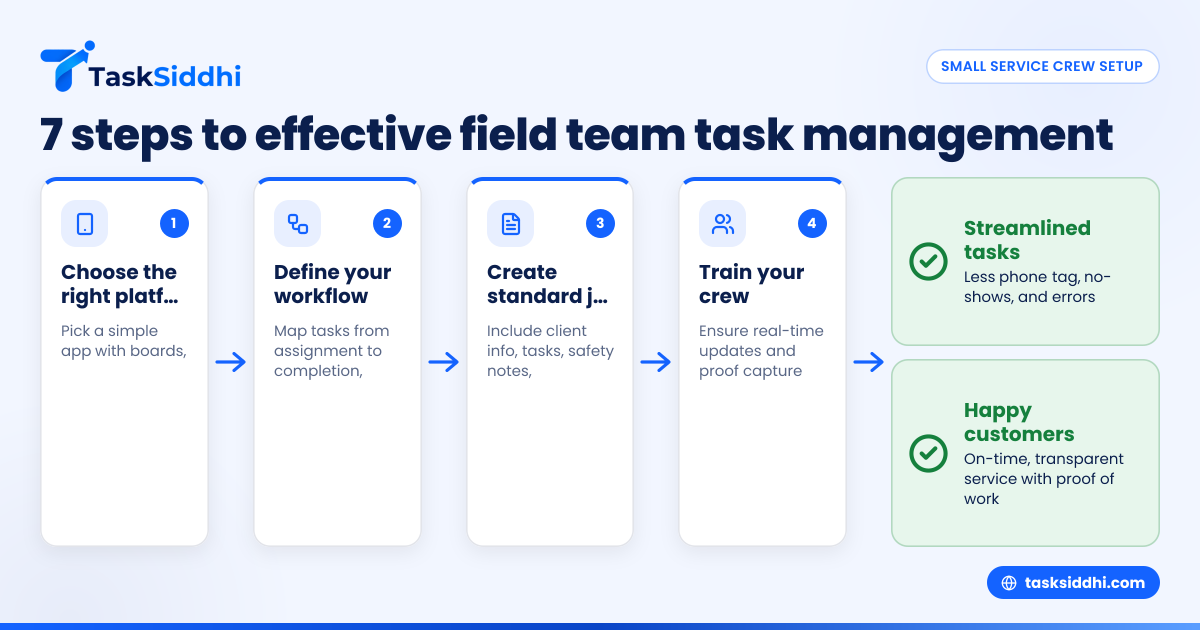
Step 1: choose the right platform
Select a task management platform supporting boards and views and an intuitive mobile app your crew can learn quickly. Consider systems tailored for service teams rather than complex ERP software. Look for features like easy job card creation and time tracking.
Step 2: define your task workflow
Map your typical job process from assignment to completion. Document standard tasks, like client contact, job execution, proof collection, and invoicing. This clarity helps in setting up templates and automations.
Step 3: create standard job cards
Design job cards capturing necessary details: client address, phone number, scheduled time, task list, safety notes, and material requirements. This ensures all crews receive uniform instructions.
Step 4: train your crew
Provide hands-on training for using the mobile app and updating task status in real time. Emphasize the importance of capturing proof like photos or signatures for accountability.
Step 5: track time and progress
Encourage teams to log hours on jobs via the mobile app. This data helps with payroll accuracy and identifies jobs taking longer than planned.
Step 6: leverage automation
Set up automated reminders for upcoming jobs, overdue tasks, or follow-ups using automation features. This reduces manual oversight.
Step 7: review, analyze and adjust
Regularly check reporting dashboards for bottlenecks—such as jobs frequently delayed or crew members overloaded. Adjust your workflows and schedules accordingly.
A worked example:
Imagine you run a small landscaping crew in Houston servicing 25 clients weekly. Using TaskSiddhi, you:
- Create digital job cards for each client weekly, detailing tasks like mowing, hedge trimming, and fertilizing.
- Assign tasks via boards to crew members closest geographically.
- Crews update task completion on the mobile app, upload photos as proof.
- Time tracking records hours per job and crew member.
- Automation sends reminders to crews 1 day before scheduled visits.
- Reports show which clients require repeat visits or where jobs take longer due to equipment issues.
- You adjust crew assignments to balance workload and notify clients proactively about delays.
This system reduces phone tag, no-shows, and improves client satisfaction with timely, documented service.
How does effective task management boost customer satisfaction?
Customers in Houston expect timely, transparent, and professional service. They want crews to arrive on time, ready, and know exactly what work to perform.
Effective task management helps you deliver this by:
- Ensuring on-time arrivals: When tasks and routes are well planned and communicated, technicians avoid unnecessary travel time or scheduling conflicts.
- Providing accurate job details: Standard job cards mean crews have all client expectations and special notes upfront.
- Improving communication: Real-time updates allow you to notify customers promptly if delays occur due to weather or unforeseen problems.
- Collecting verifiable proof of work: Photos or signatures captured onsite reduce disputes and provide peace of mind.
- Reducing callbacks: Clear instructions and task checklists ensure jobs are done right the first time.
All these factors build customer trust, leading to positive reviews, referrals, and repeat business.
What costs are involved in modern field team task management?
Pricing for modern task management software depends on features and the number of users. Small service crews can start with entry-level plans offering digital boards and mobile access.
Upgrades often include automation, advanced reporting, more users, and integrations with QuickBooks and Stripe. Typical monthly costs range from $10 to $30 per user, with savings for annual plans.
Look for free trials or demos before deciding. The investment is usually recouped quickly by cutting hours spent on phone calls, fixing mistakes, and improving routes.
Can I use TaskSiddhi to manage my small Houston service crew?
Yes. TaskSiddhi is designed for US-based field teams, including small Houston crews in HVAC, plumbing, and landscaping.
It offers clear boards and views to track all tasks, a mobile app for updates and proof capture, built-in time tracking, powerful automation, and insightful reporting.
Try a product tour to see how it fits your workflow. Then check pricing to find the right plan for your crew size and needs.
Frequently asked questions
What is the best way to assign tasks to field crews?
The best method is using a digital platform with boards and views and job cards. Assign tasks clearly to individual team members based on their skills and availability. This clarity prevents confusion and makes tracking accountability straightforward.
How do I track time for field service jobs accurately?
Use a mobile app with built-in time tracking features that let crew members start and stop timers linked to specific tasks. This ensures labor hours are logged precisely for payroll, job costing, and future scheduling.
What proof of work should be collected during service visits?
Collect site photos, digital client signatures, and completion checklists via mobile apps. These forms of proof verify that work was performed correctly and help in billing, dispute resolution, and warranty validations.
How can automation save time in field team task management?
Automation reduces manual follow-up by assigning recurring jobs automatically, sending reminders about deadlines, or updating job statuses in the system based on completed steps. This frees managers to focus on exceptions and critical decisions.
How do real-time updates help field teams?
Real-time updates let managers monitor job progress instantly and communicate changes or delays immediately to clients and crews. It minimizes miscommunication and allows proactive problem-solving on the ground.
Can task management tools integrate with accounting software?
Yes. Many platforms integrate with QuickBooks and payment processors like Stripe, syncing completed job data with invoicing, billing, and payroll. This seamless flow improves financial accuracy and cash flow management.
To see how TaskSiddhi can help your Houston-based crew manage tasks efficiently, reduce paperwork, and improve customer satisfaction, try a product tour or check our pricing to find the best fit for your team.