














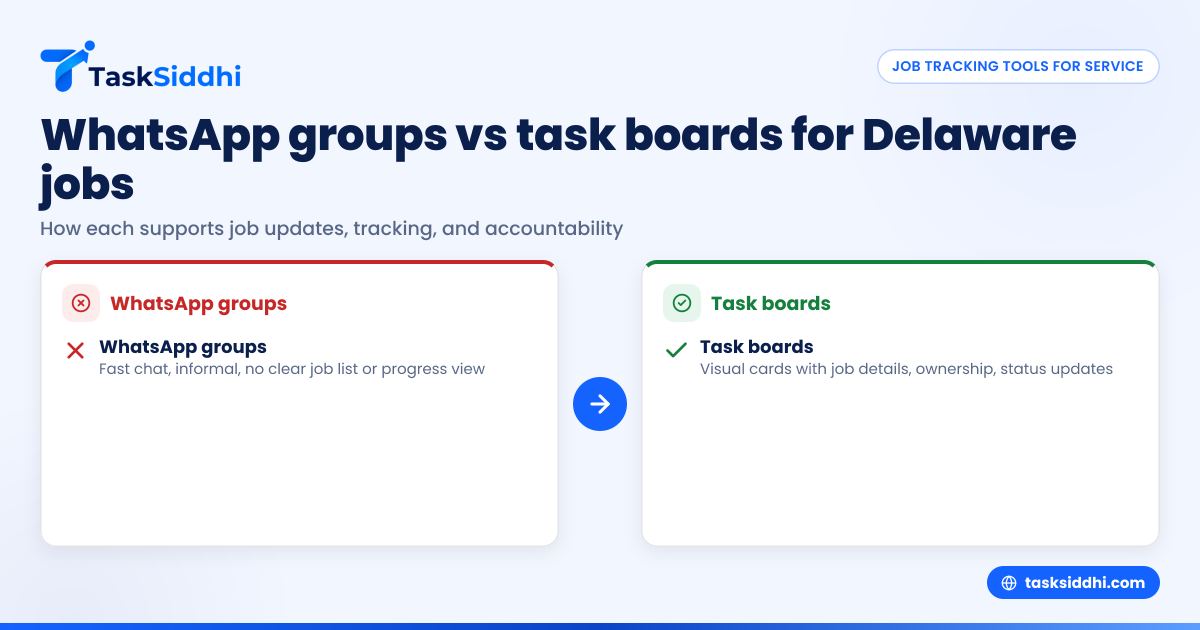
WhatsApp groups are helpful for quick chats but don’t provide a clear, centralized way to track jobs for Delaware service teams. Using a task board organizes job details, assignments, and progress in one place, reducing confusion and improving accountability during field and client work.
Key takeaways
- WhatsApp groups offer informal, fast chat but lack reliable job tracking tools.
- Task boards give a clear, visual workspace that improves job status visibility and reduces missed tasks.
- Delaware service teams use task boards to meet local compliance and manage workforce efficiently.
- Features like time tracking, reporting, and mobile apps enhance job accountability on task boards.
- AI WhatsApp group tools automate reminders but can’t replace a structured task board for detailed job tracking.
- Moving from WhatsApp groups to a task board cuts confusion and raises service quality.
Why do Delaware service teams rely on WhatsApp groups?
WhatsApp groups are familiar and quick for most Delaware field crews. They allow easy sharing of messages, job photos, or last-minute updates without extra training. Since many small-business owners and staff already use WhatsApp daily, it feels convenient to keep work chats there.
For example, a Wilmington-based plumbing company might run a WhatsApp group where technicians post site images and quick updates. Managers or customers can instantly request status updates or give instructions. This informality encourages everyone to respond fast.
However, important job details get lost as chat messages pile up. Tasks can be missed, especially during busy days or if someone leaves the group. WhatsApp lacks a way to organize and track jobs clearly over time.
What are the limitations of job tracking in WhatsApp groups?
WhatsApp groups don’t provide tools to assign, prioritize, or monitor jobs. Key challenges include:
- No centralized job list: Job info and updates scatter in chat threads.
- No visual progress: No boards or charts to see task stages or priorities.
- Weak accountability: It’s unclear who owns each job or deadline.
- Mixed documentation: Photos and notes mix with unrelated messages.
- No time tracking: Billing or measuring hours requires separate apps.
A Dover landscaping business might find it frustrating to track multi-step projects through messages, leading to miscommunications and extra site visits.
How does a task board improve job tracking accuracy?
Task boards offer a clear digital space where each job is a card containing all relevant details. Cards show assigned staff, deadlines, priority, and progress status. Visual columns or lists give managers instant visibility of all jobs.
- Status clarity: Jobs shift through stages like “Scheduled,” “In progress,” “Review,” and “Completed.” Everyone knows each job’s current state.
- Clear ownership: Each card lists the responsible technician, reducing confusion.
- Centralized info: Photos, notes, and job details attach directly to cards for quick reference.
- Time logs and reminders: Start/end times and alerts promote timely completion.
- Automation: Notifications reduce manual follow-ups for status or proof.
A Newark HVAC company using a task board experiences fewer missed jobs and quicker problem resolution.
How can Delaware service teams implement a task board smoothly?
Starting with a task board is simple and boosts your team’s efficiency quickly.
- Pick a platform: Choose one focused on service teams with mobile app, time tracking, and reporting.
- Train your staff: A short session to show how to create and update job cards works well.
- Import current jobs: Move active tasks from WhatsApp chats into the new board.
- Set workflows: Define columns matching your typical job flow, like “Assigned,” “On site,” and “Done.”
- Pilot with a crew: Try it on one team before a full rollout.
- Integrate tools: Connect invoicing systems like QuickBooks or Stripe if possible.
- Watch results: Use built-in reports to spot bottlenecks and improve processes.
This step-by-step adoption cuts confusion and raises job tracking accuracy for Delaware teams managing client and field work.
How does AI WhatsApp group integration complement task boards?
AI-powered WhatsApp group functions can automate reminders and status requests, nudging technicians to update job progress or submit proof via chat. This use of AI WhatsApp group tools helps teams stay aligned without manual prompts.
Yet, these AI chatbots are best used alongside a task board. They don’t organize tasks visually or provide full tracking capabilities. Delaware service teams can maximize productivity by combining AI-enhanced WhatsApp alerts with a well-structured task board.
What does it cost to switch from WhatsApp groups to a task board in Delaware?
Task boards usually come with subscription pricing that varies by team size and features. For a Delaware service team of 10 to 30 workers, expect around $15–$40 per user monthly.
There are no extra hardware costs beyond smartphones your team already uses. Setup is quick due to user-friendly interfaces and mobile support, so training time is minimal. Over time, the gains in efficiency and fewer missed jobs offset subscription expenses.
Why should Delaware small-business owners move beyond WhatsApp for job tracking?
WhatsApp groups work for casual chats but can’t handle detailed job management as your business grows. Delaware owners looking to scale and improve accuracy need a professional system with clarity, accountability, and automation.
Task boards offer a clear overview of jobs, minimize lost deadlines, and keep neat records for billing and compliance. Using features like time tracking and reporting helps you optimize your workforce and profits.
Structured job cards also reduce common communication errors from message overload in WhatsApp groups.
See how it works for Delaware service teams
With TaskSiddhi, Delaware service teams gain a task board designed for field visits, service jobs, and client work, accessible via an easy mobile app. Explore features that boost task tracking beyond WhatsApp groups. Take the product tour or check pricing for plans tailored to your team.
Frequently asked questions
Can I keep using WhatsApp groups alongside a task board?
Yes. Many Delaware teams keep WhatsApp for quick chats and urgent alerts, while relying on task boards for detailed job tracking.
How does a task board help with Delaware’s labor compliance?
Task boards document hours worked, job progress, and service proof neatly, supporting Delaware labor law compliance and easing payroll or contractor payments.
Is the task board easy for technicians in the field to use?
Most task boards have intuitive mobile apps so techs can update jobs, add photos, and track time right from their phones with minimal training.
Will switching increase my software costs?
There’s a subscription fee, but improved efficiency and fewer errors often save money through less rework and missed deadlines.
Can the task board generate reports for my clients?
Yes. You can create custom reports on job status, times, and results to enhance client trust and support billing.
What happens if a team member leaves?
Job cards remain visible and can be reassigned quickly, unlike WhatsApp where message history may be lost with departing members.
Explore how moving from WhatsApp groups to a structured task board can improve your Delaware service team’s job tracking accuracy. Visit /tour for a demo or compare plans at /pricing to get started today.