














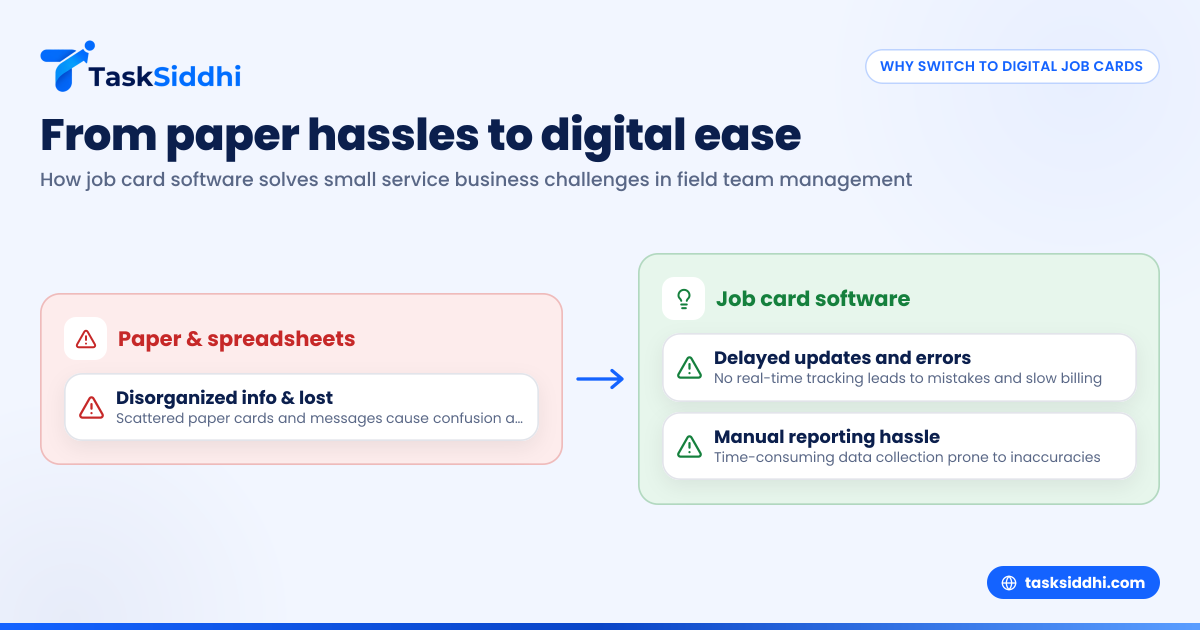
Switching from paper or Excel job cards to job card software helps US small service businesses streamline field team management by improving job tracking, communication, and reporting. It reduces errors and delays, saving time while supporting scalable growth through digital efficiency.
Key takeaways
- Job card software replaces manual paper or spreadsheet job cards, centralizing all job details digitally.
- It enables real-time updates and communication between office and field teams.
- Digital tools reduce mistakes from illegible handwriting or lost papers and speed up billing cycles.
- Many software options support mobile apps, time tracking, photo proof with AI job card features, and automated reporting.
- Small service businesses can improve client satisfaction and workforce productivity by switching to digital job card management.
- Integrations with popular finance tools like QuickBooks or Stripe make invoicing and accounting easier.
What is job card software and why does it matter?
Job card software is a digital tool that replaces traditional paper or spreadsheet job cards used by service teams. It records key job information, such as customer details, job description, materials used, hours worked, and completion status. Instead of physical cards, all data is stored centrally, accessible on computers or mobile devices.
For US small service businesses operating in cities like Detroit or Houston, this means better control over field work. Paper job cards lead to delays, lost data, and difficulty tracking job progress. Software solutions update instantly, allowing both office managers and field technicians to stay informed. This reduces errors, speeds up workflows, and helps deliver better customer service.
How does AI job card technology improve field team management?
AI job card technology uses artificial intelligence to automatically enhance job tracking and data accuracy. It can recognize photos from site visits and tag them correctly, reducing manual entry and speeding up reporting.
AI job card features help US service teams reduce paperwork and validate job progress in real time. For example, a technician uploads a photo through a mobile app, and the software uses AI to confirm work quality and completeness. This boosts accuracy and compliance while enabling managers to respond faster, especially in busy cities like Chicago.
How much does job card software typically cost for small businesses?
Job card software pricing varies but most providers offer subscription plans based on team size and feature needs. Small US service businesses can expect to pay around $10-$20 per user monthly, with discounts for annual payments. Some apps include free tiers allowing limited users or jobs to try basic features.
Since the software often replaces time-consuming paper processes and prevents costly mistakes, the return on investment is generally positive. Companies save by reducing admin hours, speeding up billing, and enhancing customer satisfaction. For specific plans see the pricing page to compare features and costs for your business.
What benefits will my US small service business see after switching?
Switching to job card software offers several clear benefits for US small service businesses managing field teams:
Increased operational efficiency
Digital job cards save time previously spent chasing paper forms or deciphering handwriting. Tasks like assigning jobs, updating statuses, logging materials, and recording hours become seamless through cloud-based boards and views. This efficiency allows teams to complete more jobs daily without additional hires.
Real-time communication and transparency
Field technicians can update job cards instantly via mobile apps. Managers see progress live and can reroute resources quickly. Customers also benefit from timely updates and proof of work, improving trust and retention.
Better compliance and documentation
Digital job cards serve as audit-ready records, storing time-stamped photos, client sign-offs, and technician notes. This reduces disputes and helps comply with local regulations or safety protocols, particularly important in highly regulated states.
Enhanced reporting and decision-making
Built-in reporting dashboards provide insights into job durations, team productivity, and revenue trends. Managers can identify bottlenecks, optimize scheduling, and forecast demand more accurately.
Simplified payroll and invoicing
Integrated time tracking ensures precise logged hours, making payroll processing and 1099 contractor payments less error-prone. Linking job data with QuickBooks or Stripe simplifies invoicing, reduces billing delays, and improves cash flow.
What challenges do service businesses face managing field jobs without software?
Many small US service businesses still rely on WhatsApp groups, Excel sheets, or physical job cards to manage field work. This leads to common pain points:
- Disorganized information: Job details scattered across messages or spreadsheets confuse teams.
- Data loss: Paper cards can be misfiled or damaged, causing lost job information.
- Delayed updates: Managers lack real-time visibility, preventing proactive problem-solving.
- Inaccurate time and material records: This causes client disputes or revenue losses.
- Manual reporting: Gathering and analyzing data takes significant time and may be prone to errors.
Overcoming these issues requires a centralized digital system like job card software, which syncs information between office and field instantly.
How does job card software integrate into existing workflows?
Adopting job card software does not require abandoning current systems. Most platforms offer simple data imports from spreadsheets and flexible tools customizable to existing workflows. The transition involves:
- Setting up the software with your team's profiles, job types, and operational parameters.
- Training managers and field workers on the mobile app and dashboard use.
- Importing ongoing jobs or customer data to keep continuity.
- Gradually shifting from paper or WhatsApp updates to digital job cards.
- Using automation features to notify teams of new assignments or overdue jobs.
Clear onboarding and support smooth implementation, minimizing disruptions. TaskSiddhi, for example, offers user-friendly mobile app access and intuitive boards making the switch easy.
Can job card software improve field worker accountability?
Yes. With digital job cards, managers gain a clear record of each job’s progress and worker contributions. Features like timestamped check-ins, photo proof, GPS location tracking, and digital client sign-offs enhance accountability. Supervisors can monitor if technicians start and complete visits on schedule.
Improved documentation encourages employees to meet deadlines and maintain service quality. It also helps resolve complaints swiftly by verifying job details. This transparency is vital for small businesses building reputations in competitive US cities.
What should I look for when choosing job card software?
Consider these factors to select the best software for your service business:
- Ease of use: Choose platforms with intuitive interfaces and minimal learning curves.
- Mobile access: Ensure apps support offline mode and work on common devices.
- AI features: Look for AI job card capabilities like photo validation or data suggestions.
- Integration: Pick software compatible with your finance and ERP stack (QuickBooks, Stripe).
- Customization: Ability to tailor job cards, reports, and notifications to your specific work.
- Pricing: Balance cost with features and user limits, checking options on the pricing page.
- Support: Reliable customer service and training resources for smooth onboarding.
A well-chosen platform empowers your teams and boosts your service business’s operational efficiency and customer satisfaction.
How does job card software help improve customer experience?
Job card software provides customers with faster service updates and accurate job details. Digital proof of work with photos or notes reassures clients that tasks were completed as agreed. Real-time communication allows service teams to inform customers promptly about scheduling or delays.
Such transparency reduces calls and complaints, improving client relationships. Many platforms enable direct customer access to job status or digital approval, making the process smoother and enhancing trust. Satisfied customers are more likely to provide repeat business and referrals.
Why do US small service teams need mobile job card apps?
Field teams spend most of their time on job sites and away from desktops. Mobile job card apps allow them to receive assignments, update job status, log materials or time, and upload photos instantly from smartphones.
In US cities with dispersed sites such as Chicago or Houston, mobility is critical. The apps often work offline, syncing when internet availability returns, ensuring no data loss. Mobile tools provide a single source of truth for all job information, eliminating confusion and delays.
Conclusion
US small service businesses can gain efficiency, accuracy, and customer satisfaction by switching from paper or Excel job cards to dedicated job card software. Features like real-time updates, AI job card photo validation, integrated time tracking, and mobile access help companies compete and grow in service industries. To see how this works for your team, take a product tour or compare features and plans on the pricing page.
Frequently asked questions
What is the difference between a job card and a work order?
A job card is a document or digital record that captures details of a specific job or service task. A work order is a broader instruction or request to perform certain work, which may include multiple job cards representing different parts of the job.
Can job card software help manage contractor teams paid via 1099?
Yes, job card software with integrated time tracking and job cost records simplifies managing independent contractors. Accurate logs support 1099 reporting and ensure correct payment.
Does job card software work offline in areas with poor internet?
Many platforms, including mobile apps, support offline data entry and sync updates when the device reconnects. This ensures field teams in locations with spotty coverage can still log job details reliably.
How do AI features enhance traditional job cards?
AI features automate recognizing important elements in photos, suggest missing data, and optimize scheduling. This reduces manual errors, speeds up approvals, and enhances job tracking accuracy.
Is job card software secure and compliant?
Reputable job card platforms follow industry best practices for data security. While specific certifications vary, they typically use encryption and secure cloud hosting to protect client and job data.
Can I customize job cards to fit my specific service processes?
Yes, most job card software allows customization of fields, forms, and reports to match your company’s workflow and job types. This flexibility supports diverse service operations and improves user adoption.